


- Use Cases
- Not listed yet
- Pricing
- One-time Payment
- Platforms
- MacOS
- Ideal For
- Not listed yet
Overview
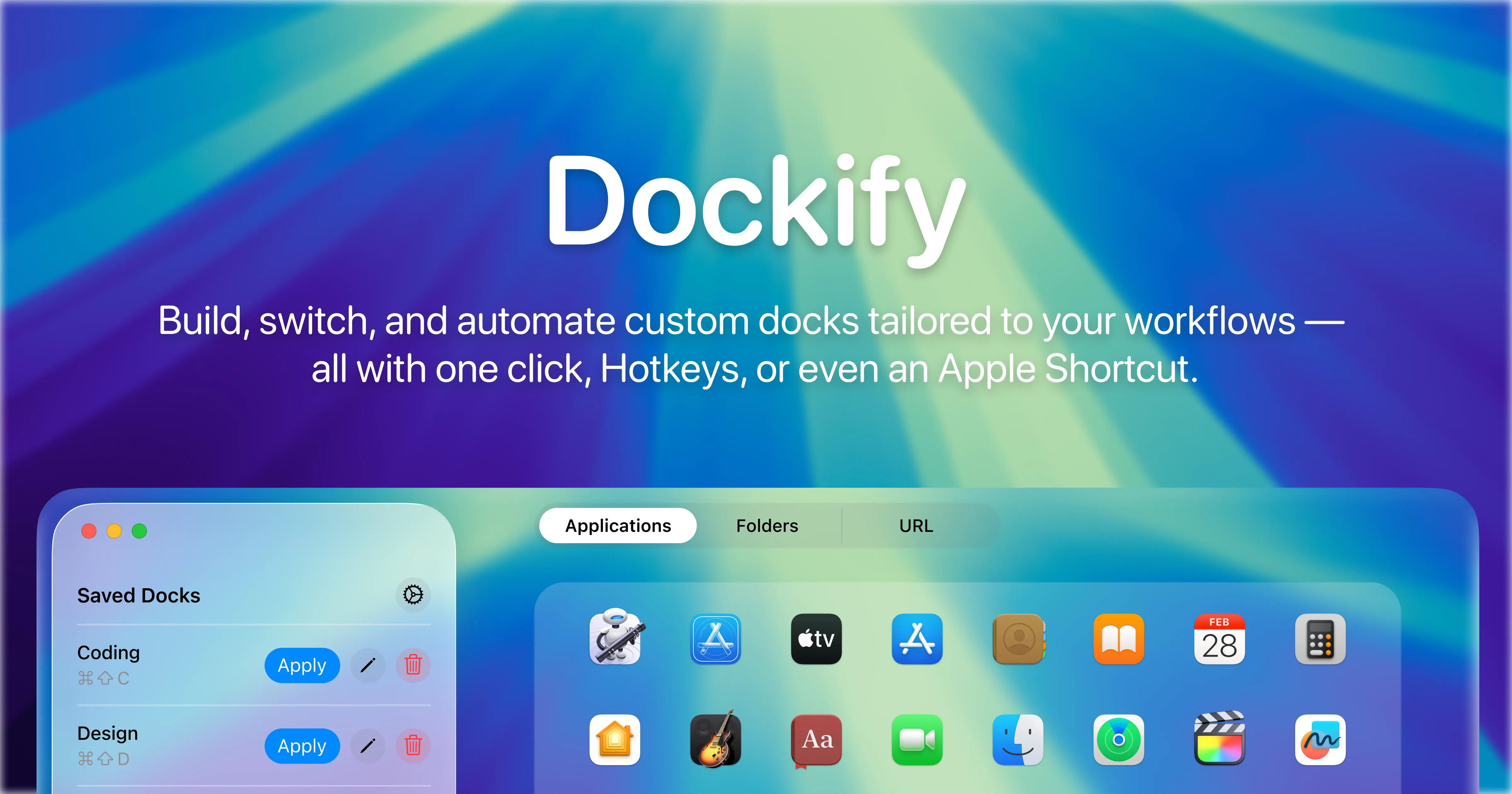
Dockify transforms your macOS dock experience by letting you create unlimited custom dock configurations tailored to different workflows and switch between them in just 1.3 seconds. This powerful dock management tool helps Mac users organize their workspace for maximum productivity without the hassle of manually rearranging apps every time their focus changes.
Whether you need a clean work dock with productivity apps, a creative dock loaded with design tools, or a minimal focus dock for distraction-free sessions, Dockify makes it effortless to maintain multiple dock setups. The app automatically backs up your original dock configuration on first launch, ensuring you can always restore your default setup with one click.
Details
Key Features
- Custom Dock Presets: Create unlimited dock configurations for work, play, gaming, or focus modes with drag-and-drop simplicity
- One-Click Switching: Apply any dock preset instantly using the menu bar, keyboard shortcuts, or the main application interface
- Apple Shortcuts Integration: Automate dock switching by connecting presets to Focus modes, scripts, or custom workflow automations
- Global Hotkeys: Assign custom keyboard shortcuts to switch between dock configurations from anywhere in macOS without opening the app
Read full editorial notes
Mac users can design custom docks by simply dragging and dropping applications, folders, and web links into personalized configurations. The intuitive interface makes dock customization accessible to users of all technical levels, while advanced features like Apple Shortcuts integration and global hotkeys cater to power users seeking workflow automation.
Dockify runs quietly in the menu bar using minimal system resources, providing instant access to dock switching without interrupting your workflow. The app supports unlimited dock presets with iCloud syncing across multiple Macs, making it perfect for users who work across different devices.
Key Features
- Custom Dock Presets: Create unlimited dock configurations for work, play, gaming, or focus modes with drag-and-drop simplicity
- One-Click Switching: Apply any dock preset instantly using the menu bar, keyboard shortcuts, or the main application interface
- Apple Shortcuts Integration: Automate dock switching by connecting presets to Focus modes, scripts, or custom workflow automations
- Global Hotkeys: Assign custom keyboard shortcuts to switch between dock configurations from anywhere in macOS without opening the app
- iCloud Synchronization: Keep dock presets synchronized across multiple Mac devices with secure iCloud backup and restore functionality
Who This Is For
- Professional Mac Users: Developers, designers, writers, and knowledge workers who need different
- app configurations for various projects and want to eliminate dock clutter during focused work sessions.
- Creative Professionals: Content creators, video editors, and graphic designers who switch between creative tools and need quick access to different software suites based on their current project requirements.
- Productivity Enthusiasts: Mac power users who leverage automation tools like Apple Shortcuts and Focus modes to create seamless workflow transitions throughout their workday.
Common Questions
Does Dockify replace the native macOS dock permanently? No, Dockify works with the existing macOS dock system and automatically saves your original configuration as a backup that can be restored anytime.
Can I use Dockify with Apple's Focus modes? Yes, Dockify integrates with Apple Shortcuts, allowing you to automatically switch dock presets when activating different Focus modes or running custom automations.
How much system performance does Dockify use? Dockify runs efficiently in the background using minimal system resources, with dock switching taking an average of 1.3 seconds and no noticeable impact on Mac performance.
Is my dock configuration data stored securely? All dock presets are stored locally on your Mac and optionally synced through your private iCloud account, with no data collected or sent to external servers.
Launched
Ownership
If this is your product, contact us and we can help transfer it to you.
 ChatGPT,
 Claude,
 Perplexity,
 Gemini
