

K
- Use Cases
- Not listed yet
- Pricing
- Freemium
- Platforms
- Not listed yet
- Ideal For
- Not listed yet
Overview
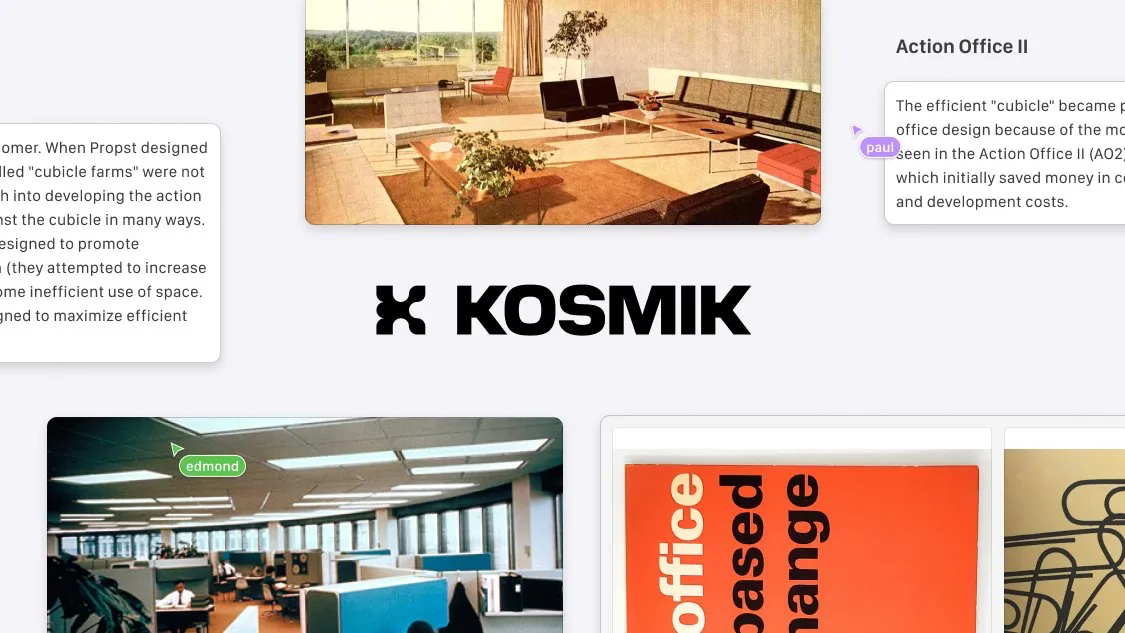
Kosmik is an AI-powered infinite canvas workspace that transforms how creative professionals gather, organize, and discover visual inspiration. Unlike traditional moodboard tools that simply store content, Kosmik actively helps you find what inspires you next by using artificial intelligence to suggest related images, videos, and web content based on what you add to your canvas.
Designed for designers, researchers, content creators, and anyone who thinks visually, this visual workspace combines an infinite canvas with a built-in web browser, PDF reader, and intelligent auto-organization features. The platform eliminates the frustration of switching between dozens of browser tabs and scattered files by bringing everything into one cohesive visual environment where you can research, collect, and create simultaneously.
Details
Key Features
- AI-Powered Content Discovery: Automatically finds related images, videos, and web content based on your canvas items, keeping inspiration flowing without manual searching
- Built-In Web Browser: Browse, research, and capture web content directly within Kosmik without switching applications or managing multiple tabs
- Intelligent Auto-Tagging: AI automatically organizes your assets with relevant tags and enables natural language search across your entire workspace
- Multimedia Canvas Support: Seamlessly work with text, images, videos, PDFs, GIFs, and web links on an infinite, flexible workspace
Read full editorial notes
What sets Kosmik apart from other visual note-taking applications is its proactive discovery engine. Drop an image onto your canvas, and the AI automatically finds similar pictures from across the web. Write a note about a concept, and Kosmik pulls relevant links and resources. This creates a dynamic workflow where your collected content continuously fuels new discoveries, making it perfect for creative research, mood board creation, project planning, and visual brainstorming sessions.
The platform's built-in browser means you can explore websites, save content with one click, and drag elements directly onto your canvas without breaking your creative flow. The integrated PDF reader lets you extract images and text from documents instantly, while real-time collaboration features allow teams to work together on shared boards.
Key Features
- AI-Powered Content Discovery: Automatically finds related images, videos, and web content based on your canvas items, keeping inspiration flowing without manual searching
- Built-In Web Browser: Browse, research, and capture web content directly within Kosmik without switching applications or managing multiple tabs
- Intelligent Auto-Tagging: AI automatically organizes your assets with relevant tags and enables natural language search across your entire workspace
- Multimedia Canvas Support: Seamlessly work with text, images, videos, PDFs, GIFs, and web links on an infinite, flexible workspace
- Real-Time Collaboration: Create unlimited workspaces and invite team members, clients, or classmates to collaborate on projects together with instant publishing to the web
Who This Is For
- Creative Professionals - Designers, architects, and visual artists who need to build comprehensive moodboards and reference libraries for client projects
- Researchers and Students - Academics and learners organizing complex information visually across multiple sources and documents
- Content Creators and Marketers - Teams planning campaigns, gathering brand inspiration, and collaborating on creative direction with stakeholders
Common Questions
Does Kosmik work offline?
Kosmik is primarily a cloud-based application that requires an internet connection for AI features and web browsing, though you can work with previously loaded content offline.
Can I import my existing files and bookmarks?
Yes, you can drag and drop files from your desktop, import PDFs, and use the Chrome web clipper extension to save bookmarks and web content directly to your Kosmik workspace.
What's the difference between the free and paid plans?
The free Rover plan includes 1 workspace, up to 100 file imports (15MB each), and 50 AI requests monthly. Plus plan offers unlimited workspaces, file imports, AI requests, and removes file size limits.
How does the AI content discovery work?
When you add images or text to your canvas, Kosmik's AI analyzes the content and automatically suggests related images, articles, and resources from the web that match your creative direction.
Launched
Ownership
If this is your product, contact us and we can help transfer it to you.
 ChatGPT,
 Claude,
 Perplexity,
 Gemini
