


Clipify
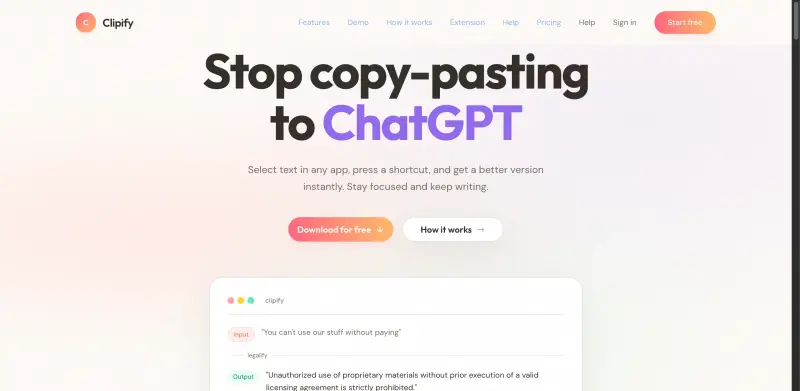
Simplify your workflow by automating tedious text tasks with customizable hotkeys and instant clipboard output.
Overview
Transform Your Text in an Instant: One-Click Legalify, Summarize, and Rephrase with Clipify
Clipify solves the tedious problem of manually rewriting, summarizing, or legalizing text by providing a simple, hotkey-activated solution that streamlines workflows and boosts productivity, allowing users to focus on high-value tasks.
Details
Key Features
- Instant text transformation: Save hours of manual work with one-click access to legal, summarized, or rephrased content, perfect for professionals needing to process large volumes of text.
- Customizable prompts: Tailor Clipify to your specific needs by creating personalized prompts that ensure output meets your exact requirements, enhancing the accuracy and relevance of the transformed text.
- Hotkey binding: Assign a hotkey to Clipify for seamless integration into your existing workflow, making it effortless to access and utilize the tool without disrupting your productivity flow.
- Clipboard-ready output: Effortlessly copy and paste transformed text into any document or application, eliminating the need for manual typing or tedious formatting adjustments.
Best For
- Content creators seeking to efficiently produce high-quality, engaging content without the burden of extensive rewriting or research.
- Legal professionals who need to quickly legalize documents or contracts without compromising on accuracy or compliance.
- Business owners and entrepreneurs looking to streamline their content creation and document processing workflows to enhance productivity and competitiveness.
Top Use Cases
- Automating the summarization of lengthy documents for quicker review and analysis, enabling faster decision-making and action.
- Legalizing contracts and agreements with a single click, ensuring compliance and reducing the risk of legal discrepancies.
- Rephrasing marketing content to better resonate with target audiences, improving engagement and conversion rates through more effective communication.
Integrations
- Clipify integrates seamlessly with popular productivity and writing tools, including Microsoft Office, Google Docs, and Notion, ensuring effortless incorporation into existing workflows.
Pros
- Clipify offers instant text transformation, customizable prompts, and seamless integration with popular productivity tools, making it an indispensable asset for professionals seeking to enhance their workflow efficiency.
Limitations
- Clipify may require an initial setup to tailor prompts to specific needs, and its effectiveness can depend on the quality of the input text, emphasizing the importance of clear and well-structured source material.
Read full editorial notes
Key Features
- Instant text transformation: Save hours of manual work with one-click access to legal, summarized, or rephrased content, perfect for professionals needing to process large volumes of text.
- Customizable prompts: Tailor Clipify to your specific needs by creating personalized prompts that ensure output meets your exact requirements, enhancing the accuracy and relevance of the transformed text.
- Hotkey binding: Assign a hotkey to Clipify for seamless integration into your existing workflow, making it effortless to access and utilize the tool without disrupting your productivity flow.
- Clipboard-ready output: Effortlessly copy and paste transformed text into any document or application, eliminating the need for manual typing or tedious formatting adjustments.
- Effortless workflow automation: Clipify's intuitive interface and instant transformation capabilities enable users to automate repetitive tasks, freeing up time for strategic and creative work.
Ideal For
- Content creators seeking to efficiently produce high-quality, engaging content without the burden of extensive rewriting or research.
- Legal professionals who need to quickly legalize documents or contracts without compromising on accuracy or compliance.
- Business owners and entrepreneurs looking to streamline their content creation and document processing workflows to enhance productivity and competitiveness.
Top Use Cases
- Automating the summarization of lengthy documents for quicker review and analysis, enabling faster decision-making and action.
- Legalizing contracts and agreements with a single click, ensuring compliance and reducing the risk of legal discrepancies.
- Rephrasing marketing content to better resonate with target audiences, improving engagement and conversion rates through more effective communication.
Known Alternatives
- A more efficient and user-friendly alternative to manual text editing tools, offering a streamlined solution for text transformation without the need for extensive technical expertise.
- A cost-effective solution compared to hiring professional writers or legal experts for document transformation, providing significant savings without compromising on quality.
Integrations & Ecosystem
- Clipify integrates seamlessly with popular productivity and writing tools, including Microsoft Office, Google Docs, and Notion, ensuring effortless incorporation into existing workflows.
Pros & Cons
- Pros: Clipify offers instant text transformation, customizable prompts, and seamless integration with popular productivity tools, making it an indispensable asset for professionals seeking to enhance their workflow efficiency.
- Limitations: Clipify may require an initial setup to tailor prompts to specific needs, and its effectiveness can depend on the quality of the input text, emphasizing the importance of clear and well-structured source material.
FAQ about Clipify
Concise answers based on the product's editorial information.
How does Clipify ensure the accuracy of its text transformations?
Clipify utilizes advanced algorithms and natural language processing techniques to ensure high-quality transformations, and users can further refine output by customizing prompts to their specific requirements.
Can I use Clipify for both personal and professional purposes?
Yes, Clipify is designed to be versatile and can be used for a wide range of applications, from personal writing projects to professional document processing, making it a valuable tool for anyone seeking to streamline their text transformation tasks.
Launched
Ownership
If this is your product, contact us and we can help transfer it to you.
 ChatGPT,
 Claude,
 Perplexity,
 Gemini
