
Dim0
Your AI shouldn't live in a chat box. Dim0 is a canvas where the agent reads your board and builds results directly alongside your thinking.
- Use Cases
- Research Assistance
- Pricing
- Free
- Platforms
- Browser
Overview
# Dim0 — The Thinking Canvas That Thinks Back
## What is Dim0?
Details
Your research is in the browser. Your notes are in Notion. Your diagrams are in Excalidraw. Your AI is in a chat box. Dim0 puts everything on one canvas.
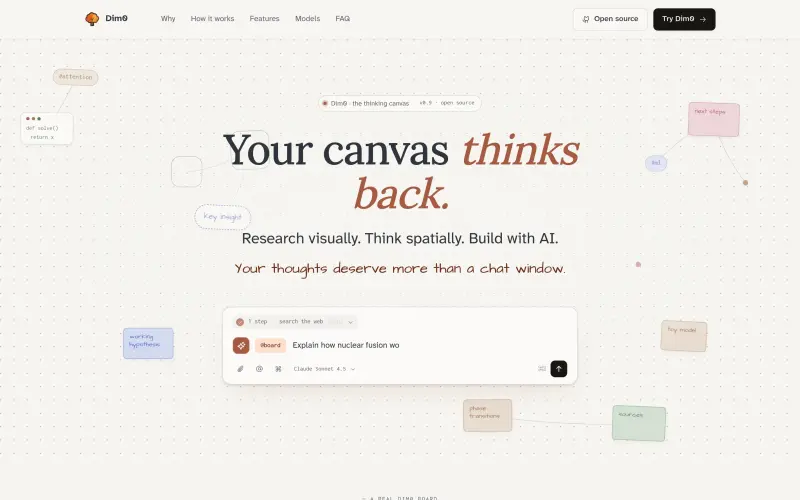
Dim0 is an open-source thinking canvas where your AI doesn't answer in a chat — it builds directly on your board. Research visually, think spatially, build with AI. One infinite canvas for notes, documents, code, widgets, and an AI agent that works alongside you — not in a sidebar.
## What Makes Dim0 Different?
Most tools bolt AI onto an existing interface as an afterthought. A chat panel here, a "generate" button there. Dim0 is built the other way around — the AI agent is board-native. It reads your canvas context before acting, searches the web, runs code, reasons in multiple steps, and places results directly as nodes on your board.
No copy-paste. No tab switching. No losing your research in a chat history that disappears.
## Key Features
Board-Native AI Agent
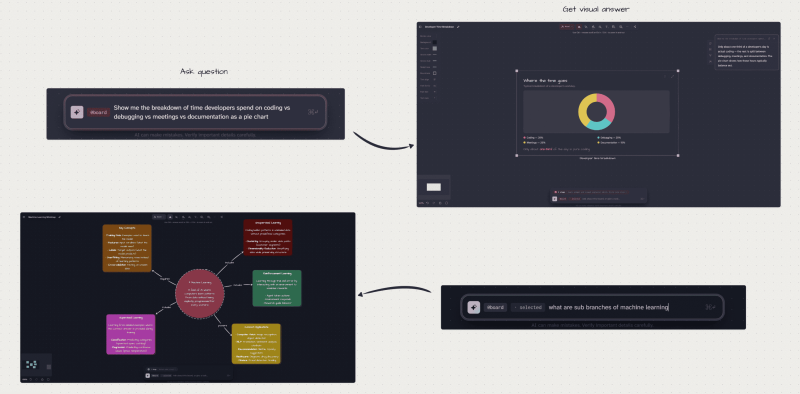
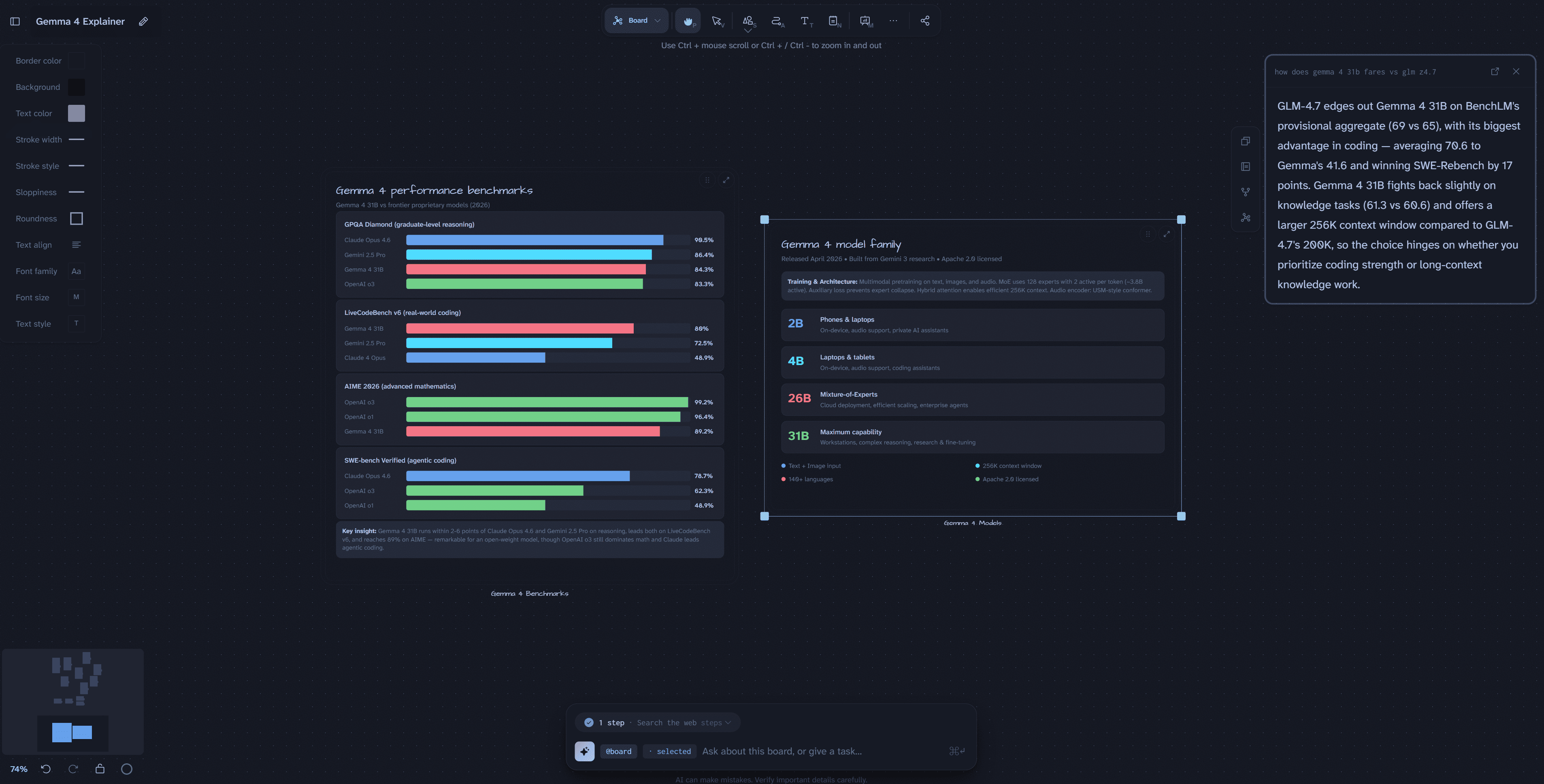
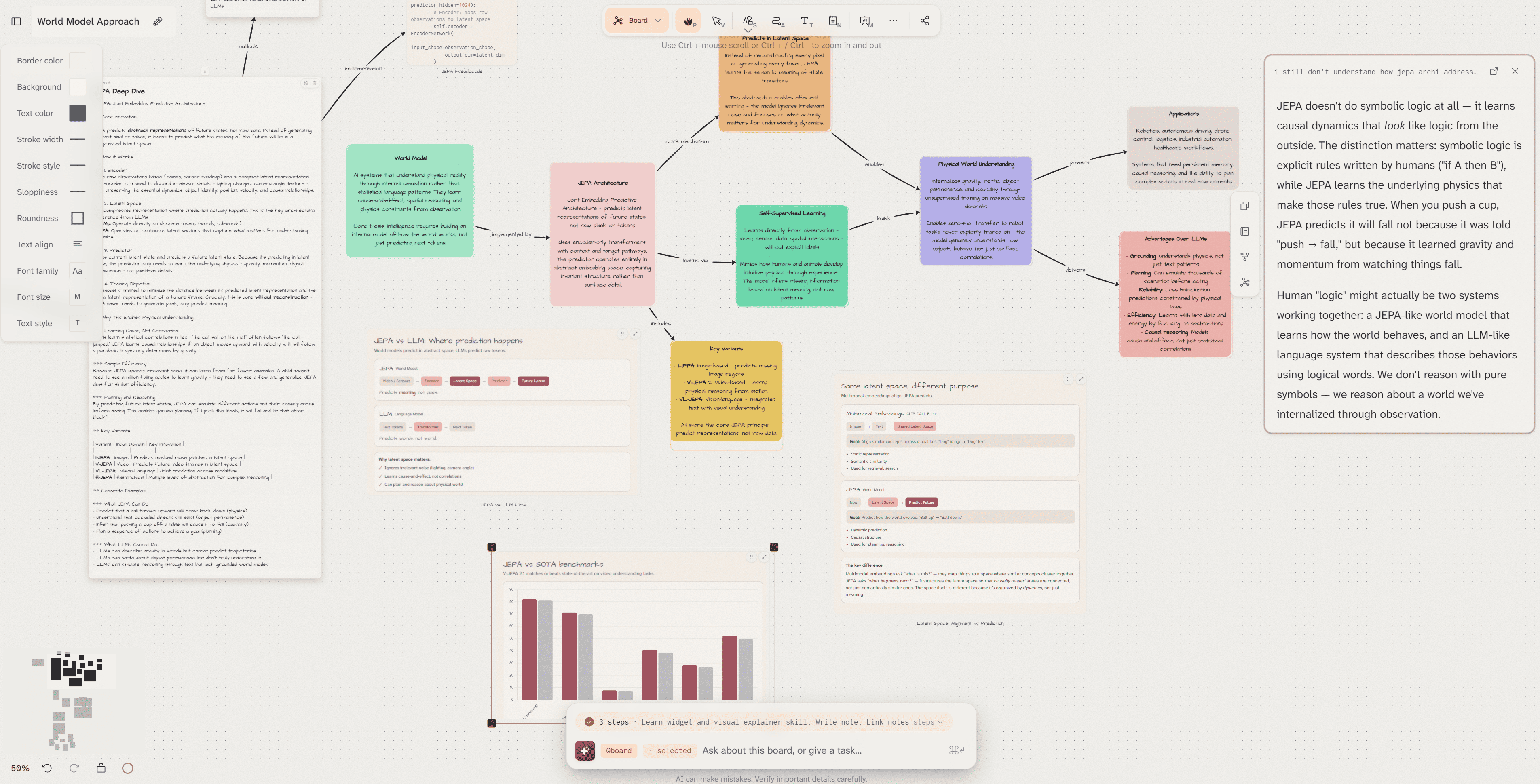
The agent reads what's on your board before it acts. Ask it to research a topic, and it places a visual mind map directly on your canvas. Ask it to explain a complex concept, and it builds a visual explainer with connected nodes. Ask it to compare data, and it generates a live interactive chart placed right where you need it.
Infinite Canvas with Rich Content
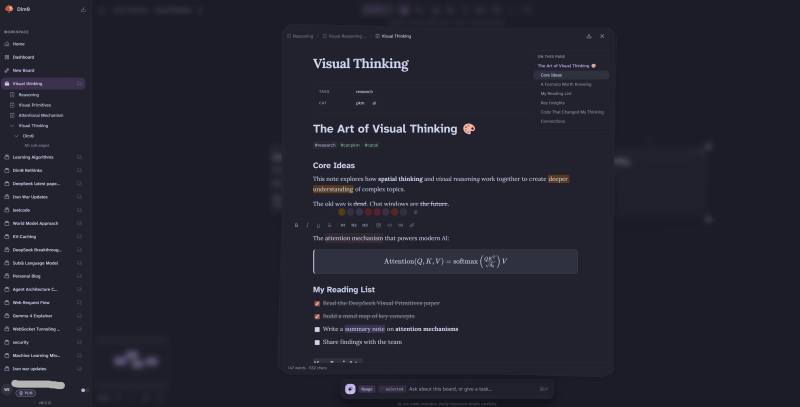
Draw hand-drawn shapes and connect ideas spatially, like Excalidraw. Write rich notes with full markdown support — math equations, code blocks, highlights, toggles, checkboxes, wiki-links, and colored highlights. Embed sub-pages within notes for deeper organization. Everything lives in one spatial workspace.
Live Code Execution
Write and run code directly inside canvas nodes. No switching to a terminal or external environment. Results appear inline, connected to your thinking.
Interactive HTML Widgets
Generate live charts, interactive dashboards, and visual explainers directly on the canvas. The agent can create these widgets from a single prompt — a bar chart comparing benchmark scores, a pie chart of market data, an interactive timeline — all placed spatially on your board.
Nested Boards
Organize large projects hierarchically. Boards inside boards, with full navigation and context preserved. Your knowledge graph grows without becoming overwhelming.
Presentation Mode
Place frame nodes, reorder them, and present directly from your canvas. No rebuilding in slides. Your research becomes your presentation.
Semantic Search
Find anything across your board by meaning, not just by keyword. Powered by vector search across all your nodes and links.
Multi-Model Support
Works with OpenAI, Claude, Gemini, Mistral, DeepSeek, Kimi, Qwen, GLM, and more. Switch between models as needed. Bring your own API key.
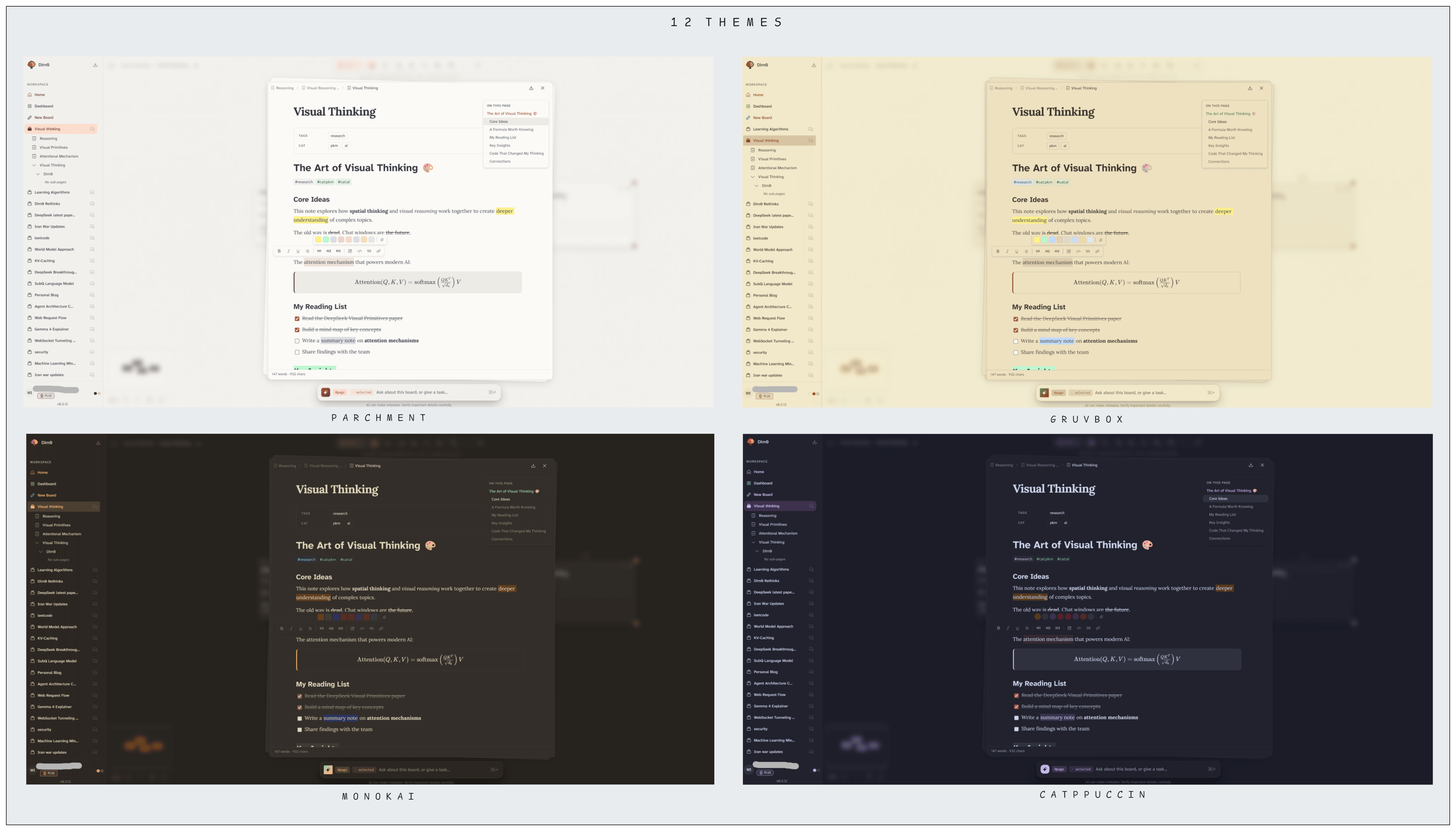
12 Beautiful Themes
From light Parchment to dark Catppuccin, Gruvbox, Monokai and more. Your canvas, your aesthetic.
100% Open Source
MIT licensed. Self-hostable. Full control over your data and workflow. No vendor lock-in.
## Who is Dim0 For?
Researchers and students tackling complex topics who are tired of switching between browsers, notes, and AI chat. Dim0 lets you research, synthesize, and visualize in one place — the AI builds the structure while you guide the thinking.
Developers and builders who want to prototype, document, and think through architecture visually. Code nodes, live execution, and an AI agent that understands your board make Dim0 a powerful tool for technical thinking.
Knowledge workers and consultants who need to organize complex information, prepare presentations, and share findings. Build your research on the canvas, then present directly from it.
Anyone who thinks visually and finds that linear chat and flat documents aren't the right shape for their ideas.
## Top Use Cases
Visual Research
Ask the agent to research any topic — it searches the web, synthesizes findings, and builds a connected mind map directly on your board. Add your own notes, connect ideas, and annotate with highlights. Your research becomes a living visual document.
Learning Complex Concepts
Ask Dim0 to explain quantum computing, attention mechanisms, or any hard topic. Watch it build a visual explainer with connected nodes, math formulas, and step-by-step breakdowns — spatially organized so you can see the whole picture.
Technical Documentation
Combine code nodes, rich text, diagrams, and live output in one board. Document a system architecture visually while the code runs inline.
Presentations and Pitches
Build your thinking on the canvas, then present it directly using frame nodes. No reformatting required.
## How Dim0 Compares
vs Notion: Notion is linear and document-first. Dim0 is spatial and canvas-first. Notion's AI answers in a panel. Dim0's AI builds on your board.
vs Excalidraw: Excalidraw is a drawing tool. Dim0 adds rich notes, code execution, live widgets, semantic search, and a board-aware AI agent on top of the canvas experience.
vs ChatGPT / Claude: Chat tools give you text responses that live in a history you'll never find again. Dim0's agent places results as persistent nodes on your canvas, connected to your existing thinking.
vs Obsidian: Obsidian is powerful but requires significant configuration and is text-first. Dim0 is approachable, visual-first, and has a native AI agent built in from day one.
## Pros and Limitations
Pros
- Genuinely spatial — not just a document editor with a canvas bolted on
- AI agent that acts on the board, not in a chat sidebar
- Open source and self-hostable — your data stays yours
- Rich content types in one space — notes, code, widgets, diagrams
- Beautiful, themeable interface
- Multi-model support — not locked to one AI provider
- Active development with regular updates
Limitations
- Relatively new — some features are still maturing
- The canvas can become complex on very large projects without good organizational habits
- Self-hosting requires some technical setup
- Mobile experience is limited compared to desktop
## Frequently Asked Questions
What is Dim0 exactly?
An open-source infinite canvas where notes, documents, code, widgets, and an AI agent all live together on one board. The AI agent reads your canvas context and places results directly as nodes — not in a chat box.
Is Dim0 free?
Yes. Dim0 is free to use at dim0.net. It is also open source and self-hostable.
Is Dim0 open source?
Yes, MIT licensed. The full source code is available at github.com/vcmf/dim0.
Can I self-host Dim0?
Yes. Full self-hosting instructions are in the GitHub repository.
Which AI models does Dim0 support?
OpenAI, Claude (Anthropic), Gemini (Google), Mistral, DeepSeek, Kimi, Qwen, GLM, and more. You bring your own API key.
How is Dim0 different from a whiteboard tool?
Whiteboard tools are for drawing. Dim0 is for thinking — it combines drawing with rich notes, live code, AI research, semantic search, and presentation mode into a single spatial workspace.
Resources
Useful Links
Submitted by

Ha Quang LE