


Front Matter
Manage your static site content without ever leaving your editor
- Use Cases
- Not listed yet
- Pricing
- Free
- Platforms
- Not listed yet
- Ideal For
- Bloggers Developers
Overview
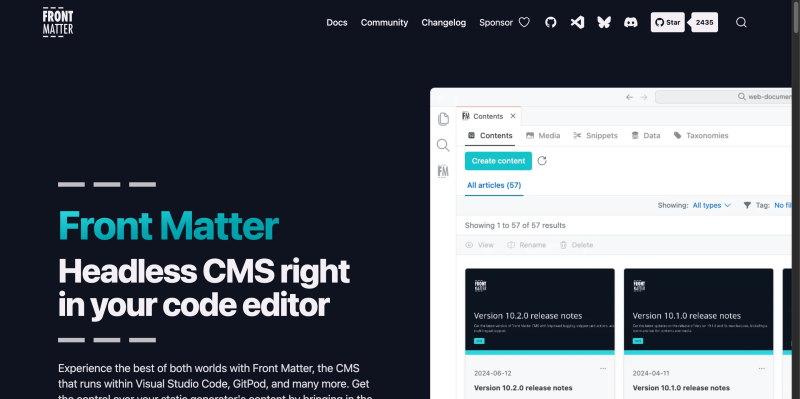
Front Matter is a headless CMS extension for VS Code that brings a visual editing experience to your local development environment. It bridges the gap between raw Markdown files and a polished content management system, allowing you to manage metadata, SEO, and media assets directly from your sidebar. By providing a "dashboard" view within your IDE, it eliminates the need to jump between your browser and terminal, making it the ultimate tool for developers who prioritize a fast, local-first content workflow.
Q: Does this store my data on an external server?
Details
Key Features
- Visual Dashboard: View all your pages, posts, and media in a clean, filterable interface instead of a cluttered folder tree.
- SEO & Readability Checks: Get real-time feedback on your title lengths, meta descriptions, and keyword density as you type.
- Integrated Media Manager: Drag and drop images directly into your content, with built-in support for automated captioning and alt-text.
- Custom Framework Support: Works out of the box with Hugo, Jekyll, Docusaurus, Next.js, and any other static site generator.
Read full editorial notes
A: No. Front Matter is local-first. All your content, configuration, and media stay within your project folder and Git repository.
Q: Can I customize the metadata fields?
A: Highly. You can define custom content types and fields (date pickers, booleans, taxonomies) to match your specific site's architecture.
Q: Does it support real-time previews?
A: Yes, it can integrate with your local development server to show you exactly how your content will look once published.
Keep researching Front Matter
Explore relevant products with a similar category, audience, or use case.



Launched
Ownership
If this is your product, contact us and we can help transfer it to you.
 ChatGPT,
 Claude,
 Perplexity,
 Gemini

