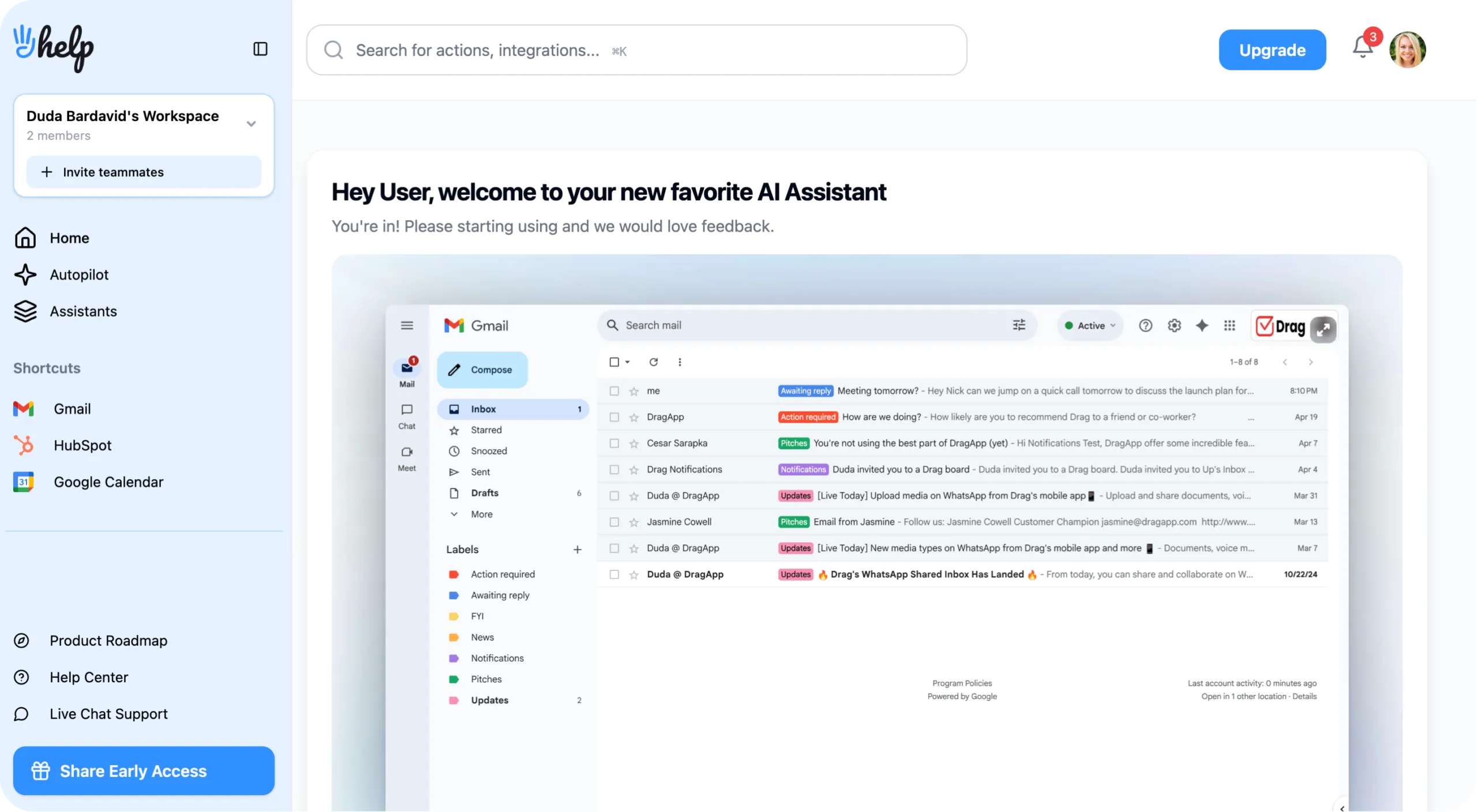
HeyHelp: AI executive assistant that reclaims your inbox

HeyHelp

H
HeyHelp

AI executive assistant that reclaims your inbox

Visit Website
Use Cases
Not listed yet
Platforms
Not listed yet

Overview

HeyHelp is an AI executive assistant for Gmail that transforms your inbox from a time-consuming burden into an automated productivity powerhouse. This intelligent email management tool integrates directly into Gmail, sorting emails, drafting personalized replies, and handling follow-ups so professionals can reclaim up to 5 hours per week from inbox management tasks.

Unlike standalone email apps that disrupt existing workflows, HeyHelp works natively within Gmail using Google's Gemini AI, OpenAI, or Anthropic models. The system learns your communication style and preferences through self-learning algorithms, becoming more effective over time without requiring manual training or complex setup processes.

Details

Key Features

  • Smart Email Sorting: Automatically categorizes, tags, and archives emails based on importance and content type, eliminating manual organization
  • AI-Powered Drafting: Creates personalized email responses in your writing voice and tone, ready for review and sending
  • Intelligent Follow-ups: Tracks conversations and sends timely follow-up reminders to keep deals and projects moving forward
  • Multi-AI Engine Support: Choose between Google Gemini, OpenAI, or Anthropic models with flexible switching capabilities
Read full editorial notes


The platform addresses the modern professional's biggest email challenges: information overload, repetitive reply drafting, missed follow-ups, and poor inbox organization. By automatically tagging and archiving emails while filtering out spam and promotional content, HeyHelp ensures important messages receive immediate attention while irrelevant communications stay out of sight.


Key Features

  • Smart Email Sorting: Automatically categorizes, tags, and archives emails based on importance and content type, eliminating manual organization
  • AI-Powered Drafting: Creates personalized email responses in your writing voice and tone, ready for review and sending
  • Intelligent Follow-ups: Tracks conversations and sends timely follow-up reminders to keep deals and projects moving forward
  • Multi-AI Engine Support: Choose between Google Gemini, OpenAI, or Anthropic models with flexible switching capabilities
  • Enterprise Security: Google Verified App with CASA Tier 2 certification, end-to-end encryption, and privacy-first infrastructure


Who This Is For

  • Busy executives and managers who receive 100+ emails daily and need automated inbox management
  • Sales professionals and consultants who require consistent follow-up tracking and client communication management
  • Small business owners and entrepreneurs seeking to streamline email workflows without hiring additional administrative staff


Common Questions

How does HeyHelp learn my writing style?

The AI analyzes your sent emails and manual corrections to adapt its drafting style, becoming more accurate with each interaction while maintaining your unique voice and preferences.

Can HeyHelp send emails automatically?

No, HeyHelp only drafts emails for your review. You maintain complete control over what gets sent, ensuring security and preventing automated mistakes.

Does it work with existing Gmail workflows?

Yes, HeyHelp integrates seamlessly with Gmail's native interface, labels, and filters without disrupting current email management systems or requiring workflow changes.

What AI models power HeyHelp?

Users can choose between Google Gemini, OpenAI, or Anthropic models, with the flexibility to switch engines anytime based on performance preferences and costs.

Alternatives

A shortlist of related products to compare before you leave the page.

View all alternatives
Valto logo
Valto

AI-native workspace for intelligent document organization

Productivity Custom

The platform addresses the common productivity challenge where valuable insights from meetings, research, and brainstorming sessions get lost in scatt...

  • AI-Powered Document Analysis: Intelligent assistant that reads meeting notes, research documents, and brainstorming sessions to identify actionable insights and next steps automatically
  • Database System Builder: Create sophisticated CRM systems, project trackers, and organizational databases with AI assistance for structure and data management
  • Smart Document Updates: AI monitors your progress and automatically updates documents based on completed tasks and changing priorities throughout your workflow
Cursor logo
Cursor

AI-powered code editor built on VS Code fork

Productivity Subscription, Custom Developers, DevOps Teams

The flagship Tab feature provides next-generation autocomplete that suggests entire code blocks rather than single lines, learning from your coding pa...

  • Intelligent Tab Autocomplete: Native AI-powered code completion suggesting entire code blocks with exceptional memory and context awareness, making 21% fewer mistakes than competing autocomplete systems
  • Cursor Composer: Multi-file editing capability allowing developers to create entire applications or modify complex codebases through high-level natural language instructions
  • Autonomous Agent Mode: End-to-end task completion where AI handles entire workflows from bug fixes to feature implementation while maintaining your coding style and conventions
Fyxer logo
Fyxer

Automated inbox management with meeting notes and scheduling

Productivity Subscription

Fyxer goes beyond simple email drafting by intelligently categorizing your entire inbox into actionable labels, making it immediately clear which mess...

  • Personalized Reply Drafting: AI analyzes your email history to learn your writing style, automatically generating context-appropriate responses that sound authentically like you wrote them
  • Intelligent Inbox Organization: Automatically categorizes emails into actionable labels while filtering spam and low-priority messages, surfacing what genuinely needs your attention
  • AI Meeting Assistant: Generates comprehensive notes during virtual meetings, capturing action items, decisions, and discussion summaries without manual documentation

Launched

Ownership

If this is your product, contact us and we can help transfer it to you.

Loading search...

Preparing products and categories.

Discover Faster

Search products and categories

Type to search instantly, or jump into the most popular spaces and products right now.

Loading categories...
No popular categories available right now.
No categories matched.

These picks are surfaced from the most active approved products on the site.

Searching...

Loading popular products...

No popular products available right now.

No matching products or categories found.

Try a broader keyword or browse the popular picks on the left.