


MacQuit
Simplify your workflow by quickly closing unwanted apps and optimizing your Mac's performance with ease.
- Use Cases
- Not listed yet
- Pricing
- One-time Payment
- Platforms
- Not listed yet
- Ideal For
- Developers
Overview
Streamline Your Mac Workflow with Instant App Management
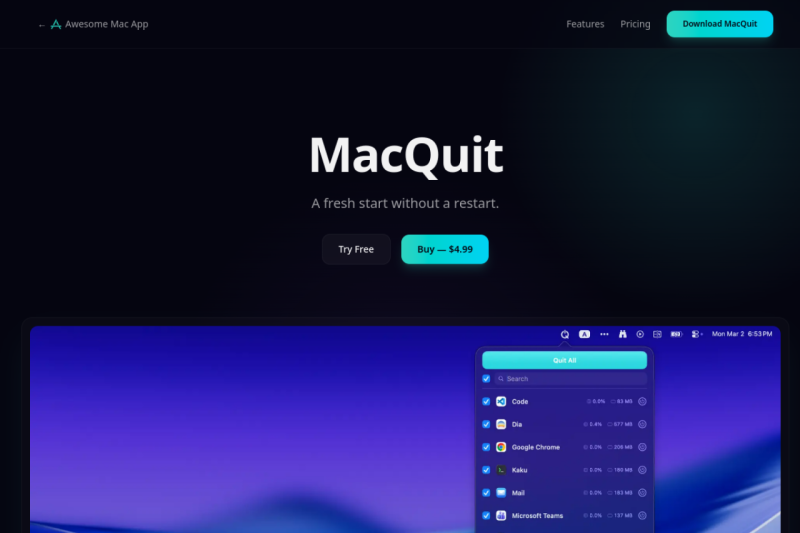
MacQuit solves the frustration of manually closing multiple apps, background tools, and windows, allowing you to quickly reset your workspace and boost productivity without the need for a restart.
Details
Key Features
- Instantly quit all running apps with a single click, freeing up system resources and reducing clutter.
- Force quit frozen apps without having to navigate through Activity Monitor, saving you time and hassle.
- Automatically close idle apps after a set period, ensuring your Mac stays lean and performs optimally throughout the day.
- Monitor CPU and memory usage in real-time, making it easier to identify and manage resource-heavy apps.
Best For
- Professionals and creatives who juggle multiple projects and apps simultaneously, requiring a seamless workflow.
- Developers and programmers who need to quickly test and iterate on their work, valuing efficiency and speed.
- Remote workers and students who rely on their Macs for daily tasks and need to maintain a organized digital workspace.
Read full editorial notes
Key Features
Instantly quit all running apps with a single click, freeing up system resources and reducing clutter.
Force quit frozen apps without having to navigate through Activity Monitor, saving you time and hassle.
Automatically close idle apps after a set period, ensuring your Mac stays lean and performs optimally throughout the day.
Monitor CPU and memory usage in real-time, making it easier to identify and manage resource-heavy apps.
Configure global shortcuts and customize quit settings to fit your workflow, providing a tailored experience that enhances your productivity.
Ideal For
Professionals and creatives who juggle multiple projects and apps simultaneously, requiring a seamless workflow.
Developers and programmers who need to quickly test and iterate on their work, valuing efficiency and speed.
Remote workers and students who rely on their Macs for daily tasks and need to maintain a organized digital workspace.
Keep researching MacQuit
Explore relevant products with a similar category, audience, or use case.



Launched
Ownership
If this is your product, contact us and we can help transfer it to you.
 ChatGPT,
 Claude,
 Perplexity,
 Gemini

