


- Use Cases
- Data Analysis
- Pricing
- Free
- Ideal For
- Data Analysts Developers
Overview
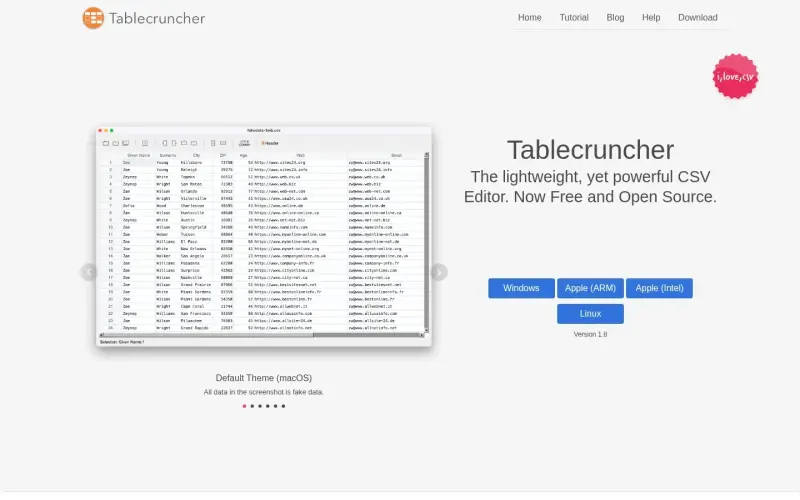
Tablecruncher is a free, open-source CSV editor designed for anyone working with large tabular datasets on Windows, macOS, or Linux. It offers powerful tools for quickly viewing, editing, and transforming even multi-gigabyte CSV files, making complex data manipulation straightforward and accessible.
This desktop application excels at handling massive CSVs that might overwhelm standard spreadsheet software, offering fast loading times and advanced features such as JavaScript macros and robust find-and-replace capabilities for efficient data cleanup and analysis.
Details
Key Features
- Opens very large CSV files, supporting over 2GB in size and more than 15 million rows.
- Offers JavaScript as a macro language with a simple API to manipulate cell content and perform calculations.
- Exports table data to JSON, formatted as an array-of-objects (with header) or array-of-arrays (without header).
- Automatically detects most CSV file formats and encodings, with options to manually override parameters.
Best For
- Individuals and professionals who frequently work with large CSV files that exceed the capabilities of standard spreadsheet software.
- Data analysts, developers, and researchers needing powerful, scriptable tools for data cleaning, transformation, and preparation.
- Users across Windows, macOS, and Linux who prefer free, open-source applications for their data editing tasks.
Top Use Cases
- Quickly opening and inspecting massive CSV datasets, such as log files, database exports, or raw sensor data.
- Performing complex data transformations and calculations using custom JavaScript macros.
- Converting large CSV files into structured JSON for use in web applications or other data processing pipelines.
- Efficiently cleaning and standardizing messy tabular data using advanced search and replace functionalities.
Integrations
- Tablecruncher offers an internal JavaScript-based macro language with a simple API for direct manipulation of data within the application. It supports exporting data to JSON format. The available source material does not clearly specify external integrations with other software, databases, or cloud services.
Pros
- Handles exceptionally large CSV files with high performance
- Offers powerful JavaScript scripting for custom data manipulation
- It is free and open-source, providing transparency and community support
- Available on Windows, macOS, and Linux
Read full editorial notes
What is Tablecruncher?
Tablecruncher is a desktop application purpose-built for editing and managing Comma Separated Values (CSV) files. It allows users to open, modify, and export large tabular datasets across Windows, macOS, and Linux operating systems.
What are the key features of Tablecruncher?
Opens very large CSV files, supporting over 2GB in size and more than 15 million rows.
Offers JavaScript as a macro language with a simple API to manipulate cell content and perform calculations.
Exports table data to JSON, formatted as an array-of-objects (with header) or array-of-arrays (without header).
Automatically detects most CSV file formats and encodings, with options to manually override parameters.
Includes a powerful Find and Replace dialog with support for ECMAScript 5 standard Regular Expressions.
Supports opening and saving CSV files in multiple encodings, including UTF-8, UTF-16LE, UTF-16BE, Latin-1, and Windows-1252.
Provides four distinct color themes, including a dark theme optimized for macOS dark mode.
Allows easy modification of data grids, including sorting lines, moving or deleting columns, and setting a header row.
Enables manual row flagging or flagging via search results, with the ability to export flagged rows to a new CSV file.
Who is Tablecruncher best for?
Individuals and professionals who frequently work with large CSV files that exceed the capabilities of standard spreadsheet software.
Data analysts, developers, and researchers needing powerful, scriptable tools for data cleaning, transformation, and preparation.
Users across Windows, macOS, and Linux who prefer free, open-source applications for their data editing tasks.
What can you use Tablecruncher for?
Quickly opening and inspecting massive CSV datasets, such as log files, database exports, or raw sensor data.
Performing complex data transformations and calculations using custom JavaScript macros.
Converting large CSV files into structured JSON for use in web applications or other data processing pipelines.
Efficiently cleaning and standardizing messy tabular data using advanced search and replace functionalities.
Preparing data for import into other systems by sorting, reordering columns, and exporting specific filtered rows.
How does Tablecruncher compare to alternatives?
Unlike basic text editors, Tablecruncher offers a structured grid view, robust parsing, and advanced data manipulation features tailored specifically for CSV files.
Compared to general-purpose spreadsheet software (like Microsoft Excel or Google Sheets), Tablecruncher is designed to handle significantly larger datasets without performance degradation or memory issues, and provides specific tools for CSV-focused workflows.
What integrations and ecosystem support does Tablecruncher offer?
Tablecruncher offers an internal JavaScript-based macro language with a simple API for direct manipulation of data within the application. It supports exporting data to JSON format. The available source material does not clearly specify external integrations with other software, databases, or cloud services.
What are the pros of Tablecruncher?
Pros: Handles exceptionally large CSV files with high performance; Offers powerful JavaScript scripting for custom data manipulation; It is free and open-source, providing transparency and community support; Available on Windows, macOS, and Linux; Features intelligent CSV format detection and robust search capabilities.
Built with
Keep researching Tablecruncher
Explore relevant products with a similar category, audience, or use case.


Resources
Social Profiles
Useful Links
Launched
Ownership
If this is your product, contact us and we can help transfer it to you.
 ChatGPT,
 Claude,
 Perplexity,
 Gemini

