


Tower
Tower Mac Git client for developers with AI-powered commits
7 website clicks
Launch week 43, 2026
- Use Cases
- Code Reviews
- Pricing View
- Subscription
- Ideal For
- Designers Developers
Overview
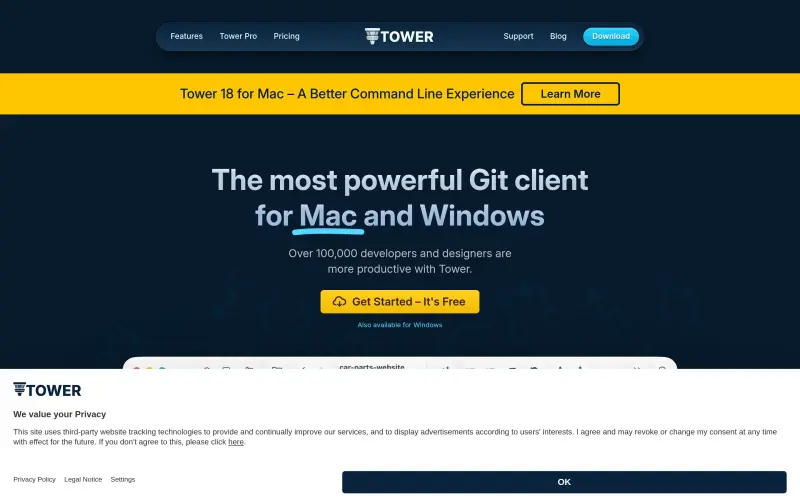
Tower is a Git client for macOS and Windows that lets developers and designers work with Git through a visual interface. It supports drag‑and‑drop staging, undo of any action, stacked branch handling, AI‑assisted commit creation, automatic branch management, and quick actions such as one‑click cloning. The tool offers a freemium model with a free plan and trial, enabling users to manage repositories, create pull requests, rebase, resolve conflicts, and explore advanced Git features without using the command line.
Details
Tower is a Git client for macOS and Windows that lets developers and designers work with Git through a visual interface. It supports drag‑and‑drop staging, undo of any action, stacked branch handling, AI‑assisted commit creation, automatic branch management, and quick actions such as one‑click cloning. The tool offers a freemium model with a free plan and trial, enabling users to manage repositories, create pull requests, rebase, resolve conflicts, and explore advanced Git features without using the command line.
Key Features
Drag and Drop – provides easy Git staging
Undo everything – lets you reverse any Git action
Stacked Branches support – enables management of multiple branch layers
AI Commits – generates commit messages using AI
Automatic Branch Management – handles branch creation and cleanup automatically
Quick actions – offers one‑click cloning and other shortcuts
Best For
Developers and designers
Top Use Cases
Stage files by dragging them into the client, simplifying change selection
Undo a mistaken commit or merge with a single command
Create and manage stacked branches for complex feature development
Generate commit messages automatically using AI to speed up commits
Pros
Drag‑and‑drop reduces the steps needed to stage changes
Undo functionality prevents errors from becoming permanent
Stacked branches allow organized handling of related work
AI‑powered commits accelerate message writing
Automatic branch management saves time on branch housekeeping
Quick actions speed up common tasks like cloning
What is Tower?
Tower is a Git client for macOS and Windows that provides a graphical interface for performing Git operations.
What are its key features?
Key features include drag‑and‑drop staging, undo of any action, stacked branch support, AI‑generated commits, automatic branch management, and quick actions such as one‑click cloning.
Who is it best for?
It is aimed at developers and designers who work with Git.
What can you use it for?
You can manage repositories, stage and commit changes, create and handle branches, generate pull requests, rebase, resolve conflicts, and use advanced Git functions like submodules and Git LFS.
What are its pros?
It simplifies staging with drag‑and‑drop, protects against mistakes with undo, organizes work with stacked branches, speeds commit writing with AI, automates branch upkeep, and accelerates common tasks via quick actions.
Keep researching Tower
Explore relevant products with a similar category, audience, or use case.



Resources
Social Profiles
FAQ about Tower
Concise answers based on the product's editorial information.
Is there a free version of Tower?
Yes, Tower offers a free plan and a free trial as part of its freemium model.
Which operating systems does Tower support?
Tower runs on macOS and Windows.
Launched
Ownership
If this is your product, contact us and we can help transfer it to you.
 ChatGPT,
 Claude,
 Perplexity,
 Gemini

