


AI Product Photography
Create AI product photography for ecommerce: white main images, lifestyle scenes, model photos, infographics, and ad crops from one product upload.
- Use Cases
- Product Photography
- Platforms
- Browser
- Ideal For
- E-commerce Owners Entrepreneurs
Overview
Create ecommerce product images from one upload, including studio shots, lifestyle photos, and infographics for marketplaces like Amazon
This tool helps ecommerce sellers generate high-quality product images for their online stores and marketplaces
Details
Key Features
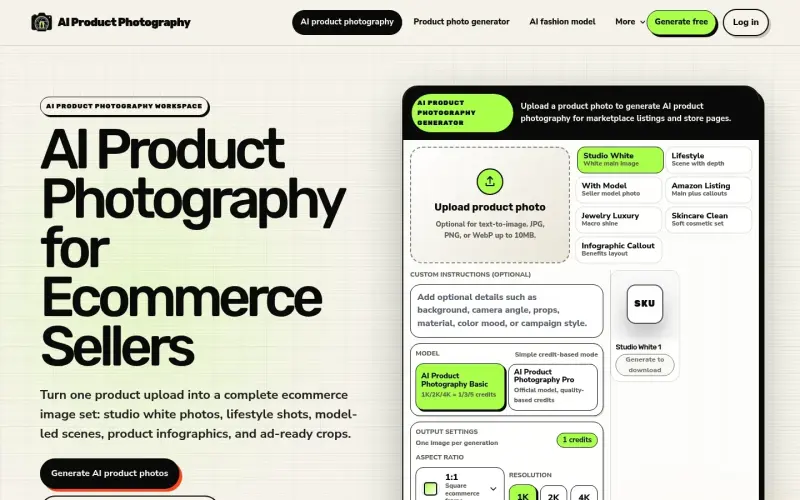
- Generate studio white photos, lifestyle scenes, model-led shots, and infographics from one product upload
- Create ad-ready crops and other image types for ecommerce listings and store pages
- Review and download previews before scaling to larger image sets
- Check product fidelity, including logos, labels, and packaging shape, before publishing
Best For
- Ecommerce sellers who need to create high-quality product images for their online stores and marketplaces
- Sellers who want to create consistent image styles across their product catalog
- Those who need to generate images for specific platforms like Amazon or Shopify
Integrations
- Amazon
- Shopify
Pros
- Generate multiple image types from a single product upload
- Review and download previews before scaling to larger image sets
- Maintain consistent image styles across product catalogs
Read full editorial notes
What is Free Preview?
AI product photography uses generative AI to create product images from a photo or prompt. It helps sellers generate images for their stores and marketplaces.
What are the key features of Free Preview?
- Generate studio white photos, lifestyle scenes, model-led shots, and infographics from one product upload
- Create ad-ready crops and other image types for ecommerce listings and store pages
- Review and download previews before scaling to larger image sets
- Check product fidelity, including logos, labels, and packaging shape, before publishing
Who is Free Preview best for?
- Ecommerce sellers who need to create high-quality product images for their online stores and marketplaces
- Sellers who want to create consistent image styles across their product catalog
- Those who need to generate images for specific platforms like Amazon or Shopify
How does Free Preview compare to alternatives?
- Generic background generators and photo editing tools that may not be specifically designed for ecommerce image production
- Manual photo editing and image creation, which can be time-consuming and require specialized skills
What integrations and ecosystem support does Free Preview offer?
- Amazon
- Shopify
What are the pros and limitations of Free Preview?
- Pros: Generate multiple image types from a single product upload; Review and download previews before scaling to larger image sets; Maintain consistent image styles across product catalogs
- Limitations: Not clearly stated in the available source material.
Built with
Keep researching AI Product Photography
Explore relevant products with a similar category, audience, or use case.



FAQ about AI Product Photography
Concise answers based on the product's editorial information.
What is AI product photography?
AI product photography uses generative AI to create ecommerce product images from a product photo or prompt
How does the tool work?
Upload a product photo, choose a template, review and download previews, and then scale to larger image sets
Submitted by

cathy
 ChatGPT,
 Claude,
 Perplexity,
 Gemini
