

CleanShot X
Simplify your workflow with a powerful screen capturing tool that helps you create, edit, and share visual content efficiently.
- Use Cases
- Not listed yet
- Pricing View
- Subscription
- Platforms
- MacOS
- Ideal For
- Content Creators Designers
Overview
Transform Your Workflow with the Ultimate Screenshot and Screen Recording Tool for Mac
Are you tired of using multiple apps to capture, annotate, and share screenshots and screen recordings, only to find that they don't integrate seamlessly with your workflow? CleanShot X is here to change that, providing a comprehensive solution that streamlines your workflow and saves you time.
Details
Key Features
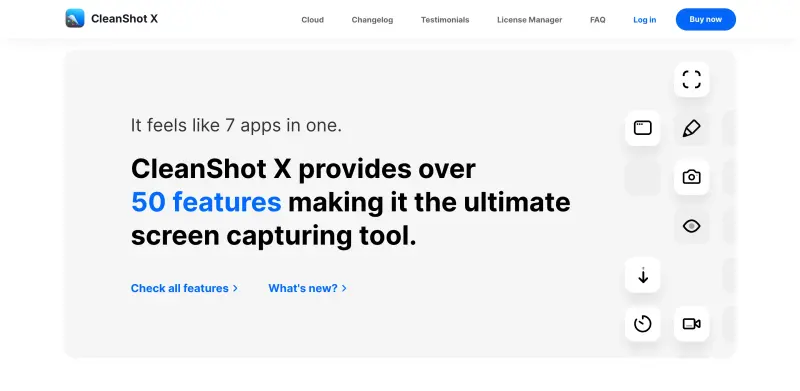
- Automate your screenshot and screen recording workflow with over 50 features, including a built-in annotation tool, Cloud uploading, and scrolling capture, saving you hours of time each week.
- Enhance your screenshots with a range of editing tools, including text recognition, background removal, and custom wallpapers, making it easy to create professional-looking visuals.
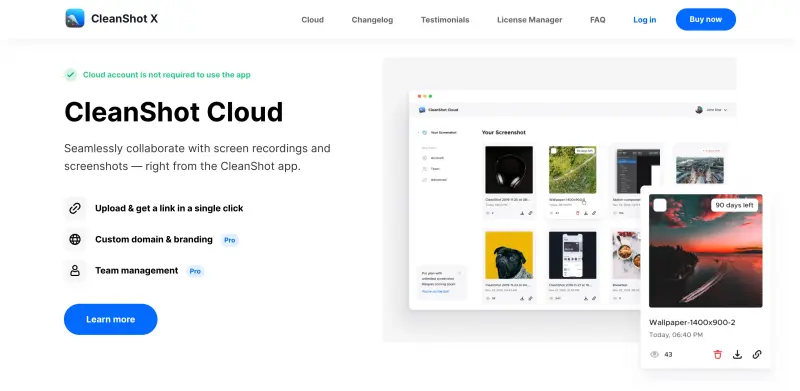
- Seamlessly collaborate with team members using CleanShot Cloud, which allows for easy uploading and sharing of screenshots and screen recordings, complete with custom domain and branding options.
- Record your screen with ease, using features like webcam recording, microphone and macOS audio capture, and automated trimming, making it perfect for creating tutorials, demos, and presentations.
Best For
- Marketing teams looking to create engaging social media content and tutorials
- Software developers and testers who need to capture and share screenshots and screen recordings of their products
- Business owners and entrepreneurs who want to create professional-looking presentations and demos
Top Use Cases
- Creating tutorials and demos for software products, using features like screen recording, annotation, and trimming to create engaging and informative content.
- Collaborating with team members on design projects, using CleanShot Cloud to share and discuss screenshots and screen recordings.
- Creating social media content, such as screenshots and GIFs, using features like background removal, text recognition, and custom wallpapers to make your content stand out.
Integrations
- Integrates seamlessly with popular Cloud services like Google Drive, Dropbox, and iCloud, making it easy to share and collaborate on screenshots and screen recordings.
Pros
- Comprehensive feature set, easy to use, seamless Cloud integration, and high-quality output.
Limitations
- May have a steep learning curve for some users, and the free version has limited features compared to the paid version.
Read full editorial notes
Key Features
- Automate your screenshot and screen recording workflow with over 50 features, including a built-in annotation tool, Cloud uploading, and scrolling capture, saving you hours of time each week.
- Enhance your screenshots with a range of editing tools, including text recognition, background removal, and custom wallpapers, making it easy to create professional-looking visuals.
- Seamlessly collaborate with team members using CleanShot Cloud, which allows for easy uploading and sharing of screenshots and screen recordings, complete with custom domain and branding options.
- Record your screen with ease, using features like webcam recording, microphone and macOS audio capture, and automated trimming, making it perfect for creating tutorials, demos, and presentations.
- Keep your screenshots organized with features like pinning, hiding icons, and customizing your workflow, ensuring that you can quickly find and share the information you need.
Ideal For
- Marketing teams looking to create engaging social media content and tutorials
- Software developers and testers who need to capture and share screenshots and screen recordings of their products
- Business owners and entrepreneurs who want to create professional-looking presentations and demos
Top Use Cases
- Creating tutorials and demos for software products, using features like screen recording, annotation, and trimming to create engaging and informative content.
- Collaborating with team members on design projects, using CleanShot Cloud to share and discuss screenshots and screen recordings.
- Creating social media content, such as screenshots and GIFs, using features like background removal, text recognition, and custom wallpapers to make your content stand out.
Known Alternatives
- A more comprehensive and user-friendly alternative to Skitch, with a wider range of features and better integration with Cloud services.
- A more powerful and flexible alternative to Snagit, with advanced features like scrolling capture, text recognition, and custom workflows.
Integrations & Ecosystem
- Integrates seamlessly with popular Cloud services like Google Drive, Dropbox, and iCloud, making it easy to share and collaborate on screenshots and screen recordings.
Pros & Cons
- Pros: Comprehensive feature set, easy to use, seamless Cloud integration, and high-quality output.
- Limitations: May have a steep learning curve for some users, and the free version has limited features compared to the paid version.
Keep researching CleanShot X
Explore relevant products with a similar category, audience, or use case.



Resources
Social Profiles
FAQ about CleanShot X
Concise answers based on the product's editorial information.
Is CleanShot X compatible with the latest version of macOS?
Yes, CleanShot X is fully compatible with the latest version of macOS, and is regularly updated to ensure compatibility with new releases.
Can I use CleanShot X for free?
Yes, CleanShot X offers a free version with limited features, as well as a paid version with a free trial, so you can try before you buy.
Launched
Ownership
If this is your product, contact us and we can help transfer it to you.
 ChatGPT,
 Claude,
 Perplexity,
 Gemini

