

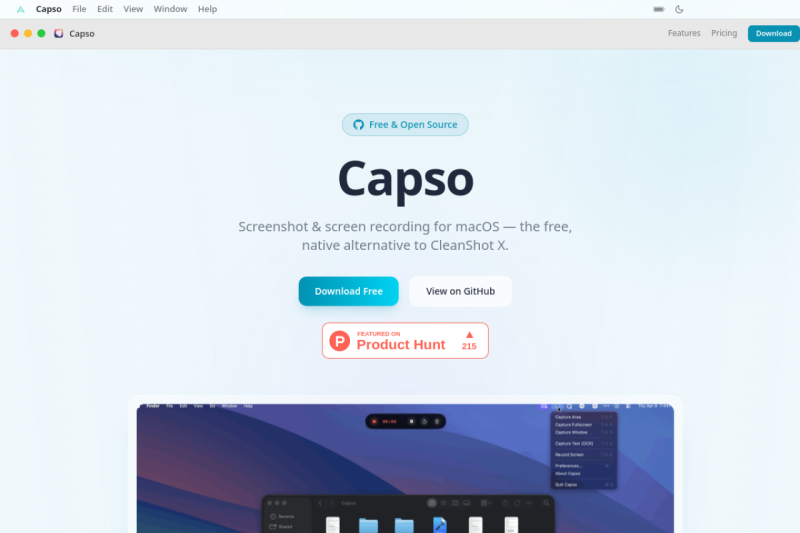

Capso
Elevate your workflow with a free, open-source screenshot and screen recording tool designed for power users and developers.
Overview
Transform Your Workflow with Capso, the Ultimate Free and Open-Source Screenshot and Screen Recording Tool for Mac
Capso empowers users to streamline their workflow by providing a comprehensive suite of features for capturing, annotating, and sharing screenshots and screen recordings, all within a native and intuitive macOS app.
Details
Key Features
- Seamless area, window, and fullscreen capture with customizable keyboard shortcuts, saving you time and effort in your daily tasks.
- Advanced annotation editor with a wide range of tools, including arrows, shapes, text, and freehand drawing, enabling you to effectively communicate your ideas.
- Webcam picture-in-picture (PiP) functionality with four shapes and snap-to-corner positioning, perfect for creating engaging video tutorials and presentations.
- OCR text recognition for instant text extraction from screenshots, boosting your productivity and reducing manual typing.
- Full configurability with comprehensive preferences, allowing you to tailor the app to your specific needs and workflow.
Ideal For
- Developers and designers who need to create and share detailed screenshots and videos of their work.
- Content creators and educators who require a reliable and feature-rich tool for producing high-quality tutorials and presentations.
- Business professionals who want to enhance their communication and collaboration with colleagues and clients through clear and concise visual aids.
Top Use Cases
- Creating detailed software tutorials and user manuals with annotated screenshots and screen recordings.
- Developing engaging video presentations and pitches with webcam PiP and screen recording capabilities.
- Collaborating with team members and clients through clear and concise visual communication, using Capso's annotation and sharing features.
Known Alternatives
- CleanShot X: While offering similar features, Capso stands out as a free and open-source alternative, providing greater flexibility and customization options.
- Shottr: Unlike Shottr, Capso offers a more comprehensive set of features, including advanced annotation and webcam PiP, making it a more versatile tool for power users.
Integrations & Ecosystem
- Capso is built with Swift 6.0 and SwiftUI, ensuring seamless integration with the macOS ecosystem and allowing for easy customization and extension through its open-source nature.
Pros & Cons
- Pros: Free and open-source, comprehensive feature set, native macOS app, and highly customizable.
- Limitations: May require some technical expertise to fully utilize its features and customization options, and limited support for non-macOS platforms.
Keep researching Capso
Explore relevant products with a similar category, audience, or use case.
 Snapzy
Elevate your visual communication with Snapzy's powerful yet simple tools for creating and sharing beautiful screen captures and recordings.
Snapzy
Elevate your visual communication with Snapzy's powerful yet simple tools for creating and sharing beautiful screen captures and recordings.
 Open Wearables
Transform wearable data into actionable health recommendations for your users with our open-source intelligence platform
Open Wearables
Transform wearable data into actionable health recommendations for your users with our open-source intelligence platform
 Avnac
Empower your creativity with Avnac, a free and open design platform for professionals and teams.
Avnac
Empower your creativity with Avnac, a free and open design platform for professionals and teams.
Resources
Useful Links
FAQ about Capso
Concise answers based on the product's editorial information.
Is Capso really free, and what's the catch?
Yes, Capso is completely free and open-source, with no trial, feature gating, or subscription requirements. The app is maintained by a community of developers who contribute to its growth and development.
Can I use Capso for commercial purposes?
Yes, Capso is free for both personal and commercial use, making it an ideal tool for businesses, educators, and content creators who need a reliable and feature-rich screenshot and screen recording tool.
Launched
Ownership
If this is your product, contact us and we can help transfer it to you.
 ChatGPT,
 Claude,
 Perplexity,
 Gemini

