


Clico
Supercharge your writing with instant summaries, answers, and drafts, all without leaving your page.
- Use Cases
- Not listed yet
- Pricing View
- Subscription
- Platforms
- Not listed yet
- Ideal For
- Writers Content Creators
Overview
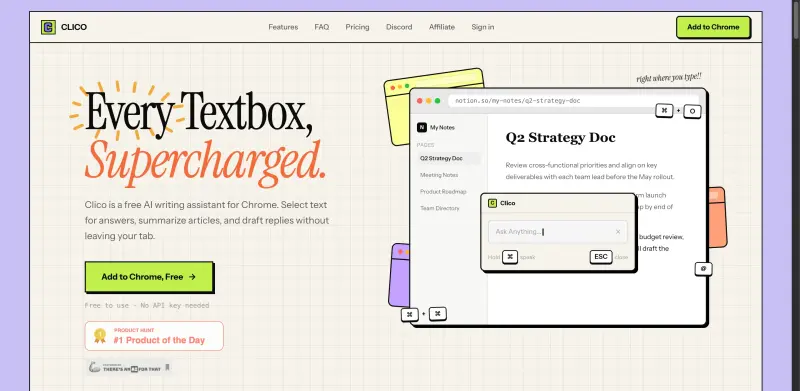
Clico is a free AI writing assistant that helps users write, search, summarize, and dictate text within their browser, without leaving the page, making it a useful tool for individuals who need to work efficiently online.
Clico works as a browser extension for Chrome, Edge, and Brave, providing AI-powered assistance directly in text boxes, allowing users to focus on their work without distractions.
Details
Key Features
- AI-powered writing assistance that helps with drafting replies and creating content
- Text summarization feature that provides a structured summary of web pages with just two taps
- Dictation capability that allows users to speak instead of type
- Integration with various online platforms, including Google Docs, Gmail, Notion, and Slack
Best For
- Individuals who spend a lot of time writing online, such as bloggers, content creators, and students
- Professionals who need to communicate effectively through email or messaging platforms
- Anyone looking to improve their writing efficiency and productivity
Integrations
- Clico integrates with various online platforms, including Google Docs, Gmail, Notion, Slack, and more
Pros
- free to use, easy to integrate, and provides AI-powered writing assistance
Limitations
- may not be suitable for users who require advanced features or custom support
Read full editorial notes
What are the key features of Clico?
AI-powered writing assistance that helps with drafting replies and creating content
Text summarization feature that provides a structured summary of web pages with just two taps
Dictation capability that allows users to speak instead of type
Integration with various online platforms, including Google Docs, Gmail, Notion, and Slack
Ability to work everywhere you write, without requiring an API key or additional setup
Who is Clico best for?
Individuals who spend a lot of time writing online, such as bloggers, content creators, and students
Professionals who need to communicate effectively through email or messaging platforms
Anyone looking to improve their writing efficiency and productivity
What are the top use cases for Clico?
Writing and responding to emails, messages, or comments on social media platforms
Creating and editing content for blogs, articles, or websites
Summarizing long documents or web pages to quickly grasp the main points
How does Clico compare to alternatives?
Clico offers a unique combination of AI-powered writing assistance and text summarization, making it a useful tool for those who need to work efficiently online
Unlike other writing assistants, Clico is free and does not require an API key or additional setup
What integrations and ecosystem support does Clico offer?
Clico integrates with various online platforms, including Google Docs, Gmail, Notion, Slack, and more
What are the pros and limitations of Clico?
Pros: free to use, easy to integrate, and provides AI-powered writing assistance
Limitations: may not be suitable for users who require advanced features or custom support
Keep researching Clico
Explore relevant products with a similar category, audience, or use case.



Resources
Social Profiles
Launched
Ownership
If this is your product, contact us and we can help transfer it to you.
 ChatGPT,
 Claude,
 Perplexity,
 Gemini

