


DocuSeal
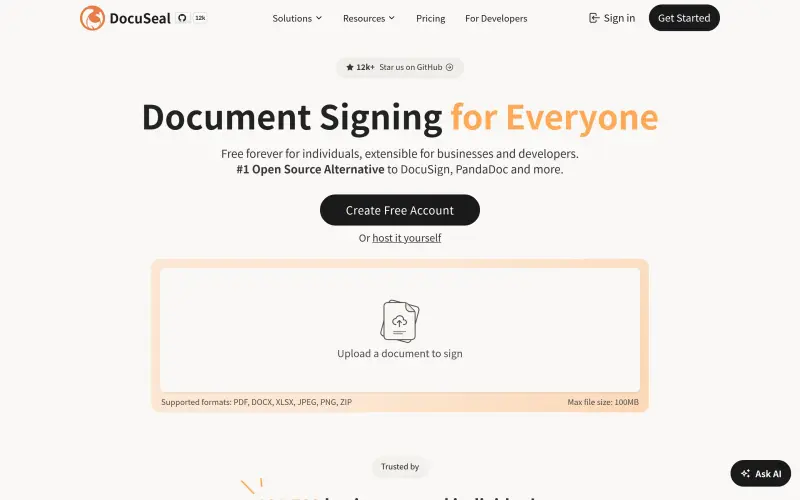
Simplify your workflow by creating, filling, and signing documents electronically with ease and security.
Overview
Streamline Your Document Signing with DocuSeal
DocuSeal helps you simplify the process of filling and signing documents online, making it easier to manage paperwork and focus on what matters most to your business or personal projects.
Details
Key Features
- Create custom PDF forms that are easy to fill out and sign, saving you time and effort.
- Automatic digital signature makes it simple to authenticate documents without the hassle of printing and scanning.
- Support for various file formats, including PDF, DOCX, XLSX, JPEG, PNG, and ZIP, up to 100MB in size.
- Free forever for individuals, with extensible options for businesses and developers, making it accessible to everyone.
Best For
- Small business owners looking to streamline their document workflow and reduce paperwork.
- Developers seeking an easy-to-integrate document signing solution for their applications.
- Individuals who need to sign documents frequently, such as freelancers or remote workers.
Top Use Cases
- Automating contract signing for clients or partners, reducing the need for in-person meetings.
- Creating and signing invoices, receipts, or other financial documents with ease.
- Managing employee onboarding documents, such as offer letters and benefits forms, in a secure and efficient manner.
Integrations
- DocuSeal offers an API for seamless integration with your existing applications and workflows, making it easy to automate document signing processes.
Pros
- Easy to use, open-source, and free forever for individuals, with automatic digital signature and support for multiple file formats.
Limitations
- May not be suitable for large enterprises with complex document management needs, and the 100MB file size limit may not be sufficient for very large documents.
Read full editorial notes
Key Features
- Create custom PDF forms that are easy to fill out and sign, saving you time and effort.
- Automatic digital signature makes it simple to authenticate documents without the hassle of printing and scanning.
- Support for various file formats, including PDF, DOCX, XLSX, JPEG, PNG, and ZIP, up to 100MB in size.
- Free forever for individuals, with extensible options for businesses and developers, making it accessible to everyone.
- Open-source, allowing for transparency and community-driven development.
Ideal For
- Small business owners looking to streamline their document workflow and reduce paperwork.
- Developers seeking an easy-to-integrate document signing solution for their applications.
- Individuals who need to sign documents frequently, such as freelancers or remote workers.
Top Use Cases
- Automating contract signing for clients or partners, reducing the need for in-person meetings.
- Creating and signing invoices, receipts, or other financial documents with ease.
- Managing employee onboarding documents, such as offer letters and benefits forms, in a secure and efficient manner.
Known Alternatives
- A more affordable and open-source alternative to DocuSign, offering similar functionality without the high costs.
- A simpler and more user-friendly option compared to PandaDoc, with a more intuitive interface.
Integrations & Ecosystem
- DocuSeal offers an API for seamless integration with your existing applications and workflows, making it easy to automate document signing processes.
Pros & Cons
- Pros: Easy to use, open-source, and free forever for individuals, with automatic digital signature and support for multiple file formats.
- Limitations: May not be suitable for large enterprises with complex document management needs, and the 100MB file size limit may not be sufficient for very large documents.
Keep researching DocuSeal
Explore relevant products with a similar category, audience, or use case.



Resources
Social Profiles
Useful Links
FAQ about DocuSeal
Concise answers based on the product's editorial information.
Is DocuSeal really free?
Yes, DocuSeal is free forever for individuals, with no costs or subscription fees, making it an excellent choice for personal use or small businesses.
Can I use DocuSeal for my business?
Yes, DocuSeal is extensible for businesses and offers a range of features that can help streamline your document workflow, including API integration and custom PDF forms.
Launched
Ownership
If this is your product, contact us and we can help transfer it to you.
 ChatGPT,
 Claude,
 Perplexity,
 Gemini

