


ezscreenshots
Easily generate high-quality, customizable screenshots for your mobile app, ready for immediate use
- Use Cases
- Not listed yet
- Pricing
- Free
- Platforms
- Not listed yet
- Ideal For
- Designers Marketing Teams
Overview
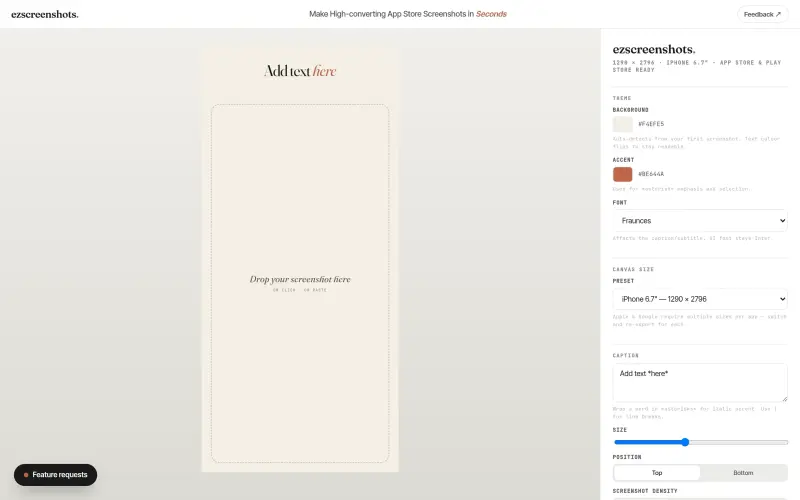
Create App Store and Play Store screenshots in seconds with ezscreenshots.
ezscreenshots is a free, browser-based tool that simplifies the process of creating screenshots for your app, saving you time and effort by eliminating the need for signup or complex design software.
Details
Key Features
- Automated screenshot generation for the App Store and Play Store, with top requests shipped within a day.
- Easy-to-use interface with drag-and-drop functionality, allowing you to add your screenshot and customize it with various themes, fonts, and canvas sizes.
- No design experience needed, as ezscreenshots auto-detects the background color from your screenshot and adjusts the text color for readability.
- Customizable caption and subtitle options, including italic accents, line breaks, and positioning.
Best For
- App developers looking for a quick and easy way to create high-quality screenshots for their app store listings.
- Marketers and designers who need to create multiple screenshots for different devices and platforms.
- Small business owners who want to showcase their app in the best possible light without breaking the bank.
Top Use Cases
- Creating screenshots for new app releases or updates, to showcase features and improvements.
- Generating screenshots for different devices and platforms, such as iPhone and Android phones, or iPad and Android tablets.
- Customizing screenshots with different themes, fonts, and colors to match your brand's visual identity.
Integrations
- ezscreenshots is a standalone, browser-based tool that doesn't require integrations with other platforms or software.
Pros
- Free to use, easy to use, fast turnaround time, and customizable options.
Limitations
- Limited to creating screenshots for the App Store and Play Store, and may not be suitable for complex or custom design requirements.
Read full editorial notes
Key Features
Automated screenshot generation for the App Store and Play Store, with top requests shipped within a day.
Easy-to-use interface with drag-and-drop functionality, allowing you to add your screenshot and customize it with various themes, fonts, and canvas sizes.
No design experience needed, as ezscreenshots auto-detects the background color from your screenshot and adjusts the text color for readability.
Customizable caption and subtitle options, including italic accents, line breaks, and positioning.
Zoom callouts can be added by dragging a rectangle on your screenshot, with the callout size automatically derived from the source region.
Ideal For
App developers looking for a quick and easy way to create high-quality screenshots for their app store listings.
Marketers and designers who need to create multiple screenshots for different devices and platforms.
Small business owners who want to showcase their app in the best possible light without breaking the bank.
Top Use Cases
Creating screenshots for new app releases or updates, to showcase features and improvements.
Generating screenshots for different devices and platforms, such as iPhone and Android phones, or iPad and Android tablets.
Customizing screenshots with different themes, fonts, and colors to match your brand's visual identity.
Known Alternatives
Other screenshot tools that require signup, design experience, or complex software, making ezscreenshots a more accessible and user-friendly option.
Manual design methods, such as using Adobe Photoshop or Illustrator, which can be time-consuming and require significant design expertise.
Integrations & Ecosystem
ezscreenshots is a standalone, browser-based tool that doesn't require integrations with other platforms or software.
Pros & Cons
Pros: Free to use, easy to use, fast turnaround time, and customizable options.
Limitations: Limited to creating screenshots for the App Store and Play Store, and may not be suitable for complex or custom design requirements.
Keep researching ezscreenshots
Explore relevant products with a similar category, audience, or use case.


Launched
Ownership
If this is your product, contact us and we can help transfer it to you.
 ChatGPT,
 Claude,
 Perplexity,
 Gemini

