

ScreenVeil
Easily control what's visible on your screen for secure presentations, meetings, and everyday work.
- Use Cases
- Not listed yet
- Pricing
- Free
- Platforms
- MacOS
- Ideal For
- Content Creators General Productivity
Overview
Take Control of Your Screen with ScreenVeil App
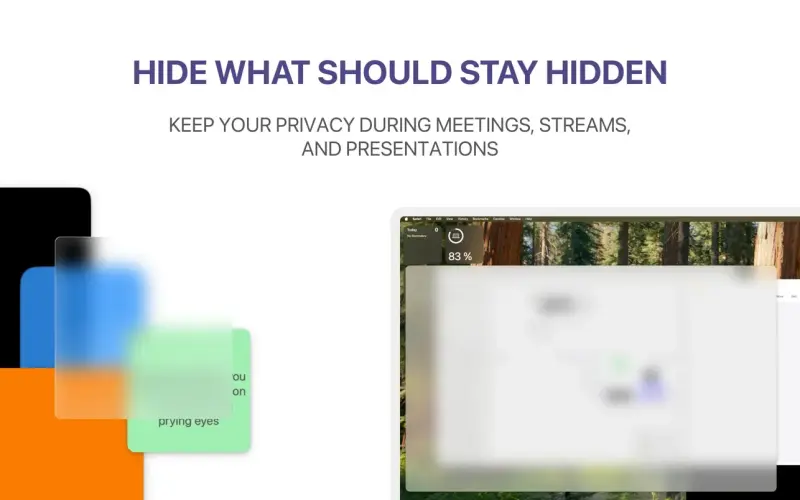
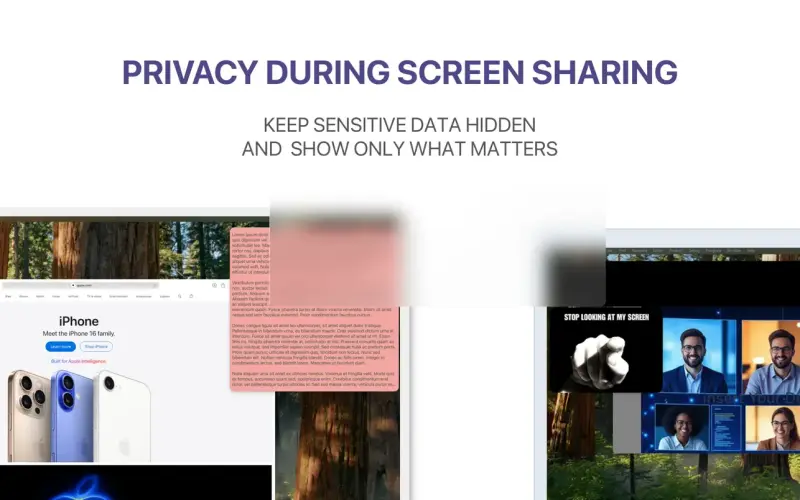
When sharing your screen, you want to show only what's necessary, without revealing sensitive information. The ScreenVeil App helps you do just that, providing a simple way to hide private data and add useful overlays to any app on your Mac.
Details
Key Features
- Hide sensitive information during screen sharing with customizable panels
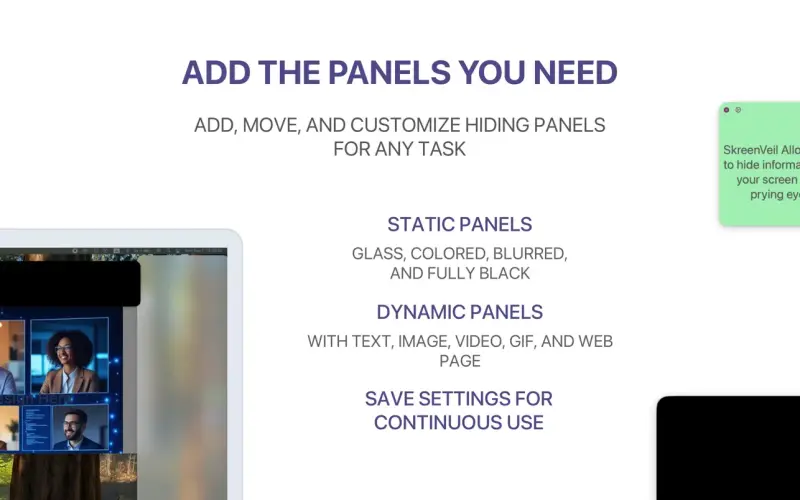
- Add text, images, GIFs, videos, and web content on top of any app for enhanced presentations
- Use static panels like black, blur, glass, and color overlays to focus attention
- Save and restore presets for recurring workflows, streamlining your productivity
Best For
- Professionals who regularly share their screens for meetings and demos
- Presenters and online teachers who want to engage their audience without distractions
- Creators and streamers who need to protect their private information while sharing their work
Top Use Cases
- Screen sharing during online meetings, where you want to hide sensitive data and focus on key points
- Creating engaging presentations, where you can add overlays and visuals to enhance your message
- Recording tutorials or videos, where you want to protect your private information and showcase your work
Integrations
- Designed specifically for macOS, integrating seamlessly with your existing workflow and apps
Pros
- Easy to use, customizable, and privacy-focused, making it a great tool for professionals and creators
Limitations
- Limited to macOS, and may not be suitable for complex or enterprise-level screen sharing needs
Read full editorial notes
Key Features
- Hide sensitive information during screen sharing with customizable panels
- Add text, images, GIFs, videos, and web content on top of any app for enhanced presentations
- Use static panels like black, blur, glass, and color overlays to focus attention
- Save and restore presets for recurring workflows, streamlining your productivity
- Control panels directly from the menu bar for easy access and customization
Ideal For
- Professionals who regularly share their screens for meetings and demos
- Presenters and online teachers who want to engage their audience without distractions
- Creators and streamers who need to protect their private information while sharing their work
Top Use Cases
- Screen sharing during online meetings, where you want to hide sensitive data and focus on key points
- Creating engaging presentations, where you can add overlays and visuals to enhance your message
- Recording tutorials or videos, where you want to protect your private information and showcase your work
Known Alternatives
- A more privacy-focused alternative to other screen sharing tools, giving you control over what you share
- A simpler solution for adding overlays and customizing your screen, without requiring extensive technical knowledge
Integrations & Ecosystem
- Designed specifically for macOS, integrating seamlessly with your existing workflow and apps
Pros & Cons
- Pros: Easy to use, customizable, and privacy-focused, making it a great tool for professionals and creators
- Limitations: Limited to macOS, and may not be suitable for complex or enterprise-level screen sharing needs
Keep researching ScreenVeil
Explore relevant products with a similar category, audience, or use case.


FAQ about ScreenVeil
Concise answers based on the product's editorial information.
Is ScreenVeil App easy to use?
Yes, the app is designed to be simple and intuitive, allowing you to hide sensitive information and add overlays with ease.
Can I customize the panels and overlays?
Yes, you can customize the size, position, and transparency of the panels, as well as save presets for recurring workflows.
Launched
Ownership
If this is your product, contact us and we can help transfer it to you.
 ChatGPT,
 Claude,
 Perplexity,
 Gemini

