


Breaks
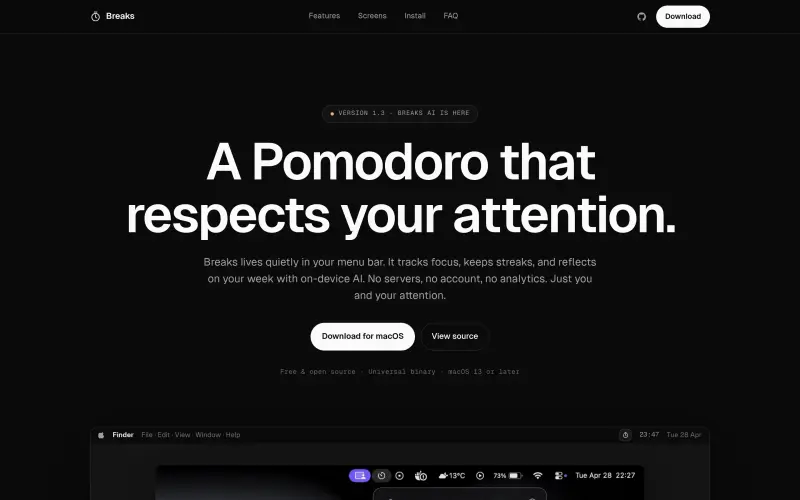
Stay on track with a simple, distraction-free Pomodoro app that respects your attention and helps you prioritize tasks.
- Use Cases
- Not listed yet
- Pricing
- Free
- Platforms
- MacOS
- Ideal For
- General Productivity Daily Utilities
Overview
Stay focused with Breaks, a quiet menu-bar Pomodoro for macOS that helps you work smarter, not harder.
Breaks · a quiet menu-bar Pomodoro for macOS solves the problem of staying on track and maintaining a healthy work-life balance by providing a simple, distraction-free way to manage your time and prioritize your tasks.
Details
Key Features
- Automated focus tracking that helps you stay on task and avoid burnout
- A weekly summary and chat feature, powered by on-device AI, that provides insights into your productivity and helps you identify areas for improvement
- Customizable cycle templates, including Pomodoro, 52/17, and Deep Work, to help you find a rhythm that works for you
- Optional Calendar export and Markdown journaling to help you reflect on your progress and plan for the future
Best For
- Remote workers and freelancers who need to stay focused and motivated while working from home
- Students and researchers who require a tool to help them stay on track and manage their time effectively
- Anyone looking for a simple, distraction-free way to prioritize their tasks and maintain a healthy work-life balance
Top Use Cases
- Using Breaks to stay focused during long study sessions or work hours, and taking regular breaks to recharge and avoid burnout
- Customizing Breaks' cycle templates to fit your unique work style and needs, such as using the Pomodoro technique for focused work and the 52/17 method for more relaxed tasks
- Reviewing your weekly summary and chat feature to identify areas for improvement and adjust your schedule accordingly
Integrations
- Breaks integrates seamlessly with your macOS Calendar, allowing you to export completed focus blocks and reflect on your progress
Pros
- Breaks is free, open-source, and highly customizable, making it an excellent choice for those who value flexibility and privacy
Limitations
- Breaks may not be suitable for users who require a high level of complexity or advanced features in their time management tool, and it currently only supports macOS 13 or later
Read full editorial notes
Key Features
- Automated focus tracking that helps you stay on task and avoid burnout
- A weekly summary and chat feature, powered by on-device AI, that provides insights into your productivity and helps you identify areas for improvement
- Customizable cycle templates, including Pomodoro, 52/17, and Deep Work, to help you find a rhythm that works for you
- Optional Calendar export and Markdown journaling to help you reflect on your progress and plan for the future
- Honest streaks and a pause-day budget that allow you to take breaks and rest without feeling guilty or worrying about losing your momentum
Ideal For
- Remote workers and freelancers who need to stay focused and motivated while working from home
- Students and researchers who require a tool to help them stay on track and manage their time effectively
- Anyone looking for a simple, distraction-free way to prioritize their tasks and maintain a healthy work-life balance
Top Use Cases
- Using Breaks to stay focused during long study sessions or work hours, and taking regular breaks to recharge and avoid burnout
- Customizing Breaks' cycle templates to fit your unique work style and needs, such as using the Pomodoro technique for focused work and the 52/17 method for more relaxed tasks
- Reviewing your weekly summary and chat feature to identify areas for improvement and adjust your schedule accordingly
Known Alternatives
- A lightweight, privacy-focused alternative to other Pomodoro apps that may collect your data or have distracting features
- A more customizable and flexible option than traditional time management tools, allowing you to tailor your experience to your specific needs
Integrations & Ecosystem
- Breaks integrates seamlessly with your macOS Calendar, allowing you to export completed focus blocks and reflect on your progress
Pros & Cons
- Pros: Breaks is free, open-source, and highly customizable, making it an excellent choice for those who value flexibility and privacy
- Limitations: Breaks may not be suitable for users who require a high level of complexity or advanced features in their time management tool, and it currently only supports macOS 13 or later
Keep researching Breaks
Explore relevant products with a similar category, audience, or use case.



Resources
Useful Links
FAQ about Breaks
Concise answers based on the product's editorial information.
Is Breaks really free?
Yes, Breaks is completely free, with no in-app purchases, ads, or analytics, and it's licensed under the MIT license.
How does Breaks AI work, and is my data sent anywhere?
Breaks AI runs entirely on your Mac, using Apple Foundation Models, and does not send any data to servers or third-party services, ensuring your privacy and security.
Launched
Ownership
If this is your product, contact us and we can help transfer it to you.
 ChatGPT,
 Claude,
 Perplexity,
 Gemini

