


- Use Cases
- Text Rewriting Transcription
- Pricing
- Free
Overview
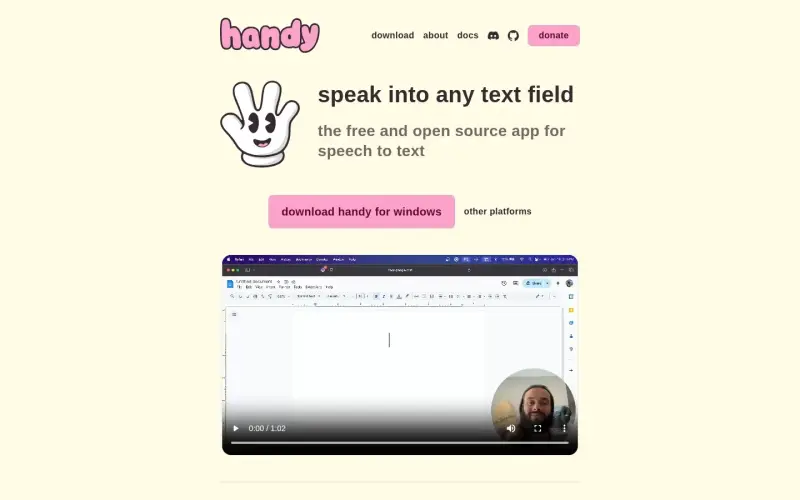
Handy is a free, open-source speech-to-text application for computers
It allows users to speak into any text field and have their words transcribed into text
Details
What is Handy?
Handy is a cross-platform, open-source speech-to-text application that works completely offline. It is designed to be simple and private, keeping your voice recordings on your computer
What are the key features of Handy?
Transcribes spoken words into text in real-time
Works completely offline, keeping your voice recordings private
Customizable keyboard shortcuts for easy use
Simple and intuitive interface
Who is Handy best for?
Individuals who need help with writing or typing due to disabilities
People who want to dictate notes or documents instead of typing
Those who prefer a private and free speech-to-text solution
How does Handy compare to alternatives?
Other speech-to-text applications may offer more advanced features or integrations, but may also come with a cost or privacy concerns
Some users may prefer cloud-based speech-to-text solutions for their convenience and accessibility
What integrations and ecosystem support does Handy offer?
Works on multiple platforms, including Windows, Mac, and Linux
What are the pros and limitations of Handy?
Pros: Free and open-source, reducing costs and increasing transparency; Private and secure, keeping your voice recordings on your computer; Customizable and simple to use, making it accessible to a wide range of users
Limitations: Not clearly stated in the available source material.
Built with
Keep researching Handy
Explore relevant products with a similar category, audience, or use case.



Resources
Useful Links
Launched
Ownership
If this is your product, contact us and we can help transfer it to you.
 ChatGPT,
 Claude,
 Perplexity,
 Gemini

