


Keepresso
Keep Mac awake on demand
84 website clicks
Launch week 30, 2026
- Use Cases
- Power Management
- Pricing
- Free
- Ideal For
- Developers Entrepreneurs
Overview
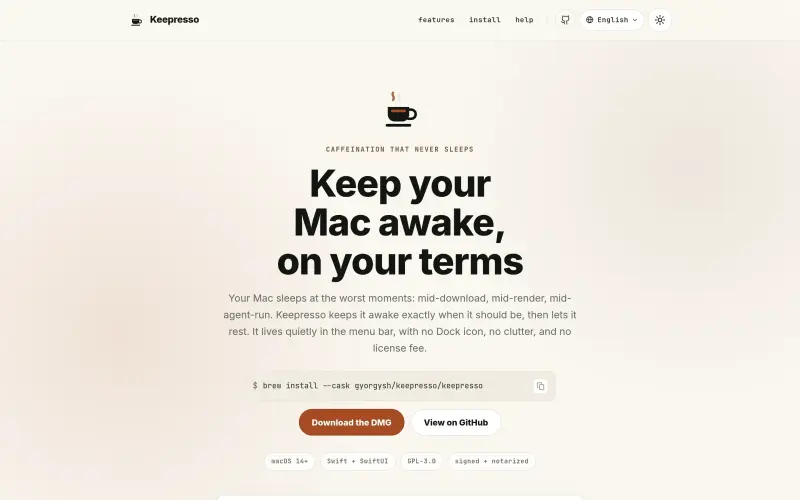
Keepresso is a native macOS menu-bar app that helps you keep your Mac awake on your terms, ideal for users who need their Mac to stay active during downloads, renders, or other tasks. It's a free, open-source solution that works on macOS 14+.
With Keepresso, you can set up smart triggers, timed sessions, and closed-display mode to keep your Mac awake when you need it to be, and let it rest when you don't. This app is designed to work quietly in the background, with no Dock icon or clutter, making it a great addition to your workflow.
Details
What is Keepresso?
Keepresso is a menu-bar app that keeps your Mac awake by preventing it from sleeping or shutting down during critical tasks. It integrates seamlessly into your workflow, allowing you to focus on your work without interruptions.
What are the key features of Keepresso?
- Smart triggers that keep your Mac awake during specific tasks or periods
- Timed sessions that allow you to set a specific duration for your Mac to stay awake
- Closed-display mode that keeps your Mac working even when the lid is closed
- Headless-Mac toolkit for setting up and managing a Mac without a monitor
- Support for 15 languages, making it accessible to a wide range of users
Who is Keepresso best for?
- Developers and programmers who need to run long tasks or tests on their Mac
- Designers and artists who require their Mac to stay awake during rendering or processing tasks
- Remote workers and teams who need to stay connected and active during virtual meetings or collaborations
What can you use Keepresso for?
- Keeping your Mac awake during downloads or file transfers
- Preventing sleep or shutdown during gaming or streaming sessions
- Setting up a headless Mac for use as a build box, agent host, or home server
How does Keepresso compare to alternatives?
- Unlike other apps that require manual configuration or scripting, Keepresso provides a simple and intuitive interface for managing your Mac's sleep settings
- Keepresso's closed-display mode and headless-Mac toolkit make it an ideal solution for users who need to run their Mac without a monitor
What integrations and ecosystem support does Keepresso offer?
- Keepresso is designed to work seamlessly with macOS 14+, and is available for download via Homebrew or as a DMG file from the official GitHub repository
What are the pros and limitations of Keepresso?
- Pros: easy to use; flexible trigger system; supports closed-display mode and headless-Mac setup
- Limitations: limited to macOS 14+; may require manual configuration for advanced use cases
Built with
Keep researching Keepresso
Explore relevant products with a similar category, audience, or use case.


Resources
Social Profiles
Useful Links
FAQ about Keepresso
Concise answers based on the product's editorial information.
Is Keepresso free to use?
Yes, Keepresso is completely free and open-source, with no licensing fees or restrictions.
Can I use Keepresso on older versions of macOS?
No, Keepresso is designed to work only with macOS 14+.
Launched
Ownership
If this is your product, contact us and we can help transfer it to you.
 ChatGPT,
 Claude,
 Perplexity,
 Gemini

