


- Use Cases
- Merge PDFs Compress PDFs
- Pricing
- Freemium
- Ideal For
- Entrepreneurs Small Businesses
Overview
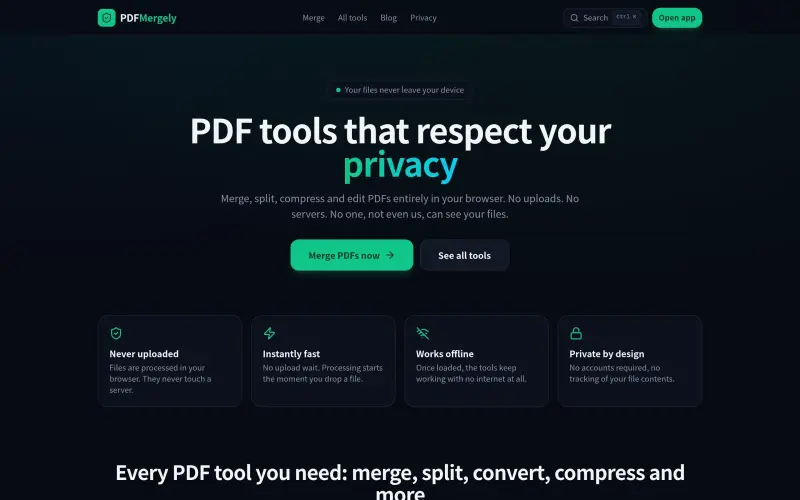
Pdfmergely is a private and free online tool that helps individuals and professionals manage their PDF files directly in their browser, without uploading them to any server. It's ideal for those who value their privacy and want to keep their documents secure.
With Pdfmergely, users can perform a variety of tasks such as merging, splitting, compressing, and editing PDFs, all within their browser. This approach ensures that sensitive documents remain private and are not exposed to potential security risks associated with uploading files to external servers. The tool's offline capability also makes it convenient for use in areas with limited internet connectivity.
Details
Key Features
- Merge multiple PDF files into a single document for easy organization and consolidation.
- Split PDFs into separate files to make it easy to extract specific pages or sections from a larger document.
- Compress PDF files to reduce their size, making them easier to share and store.
- Edit PDFs by adding text, images, and shapes, providing a flexible way to modify and annotate documents.
Best For
- Individuals who need to manage sensitive documents, such as financial statements or personal identification documents, and want to keep them private and secure.
- Professionals who work with PDFs regularly, such as lawyers, accountants, and designers, and need a reliable and efficient tool for editing and managing their documents.
- Students and researchers who need to organize and annotate large numbers of PDFs, and want a tool that is easy to use and provides a range of features and functions.
Top Use Cases
- Merging invoices or receipts into a single document for easy record-keeping and organization.
- Splitting large PDF files into smaller sections, making it easier to share and collaborate on specific parts of a document.
- Compressing PDF files to reduce their size, making them easier to email or share online.
Integrations
- The available source material does not clearly specify integrations, APIs, platforms, or ecosystem details for Pdfmergely.
Pros
- Private and secure
- fast and efficient
- works offline
- provides a range of features and functions for editing and managing PDFs.
Read full editorial notes
What is Pdfmergely?
Pdfmergely is a browser-based tool that allows users to manage their PDF files privately and securely. It provides a range of features and functions that enable users to edit, convert, and optimize their PDFs without having to upload them to a server.
What are the key features of Pdfmergely?
Merge multiple PDF files into a single document for easy organization and consolidation.
Split PDFs into separate files to make it easy to extract specific pages or sections from a larger document.
Compress PDF files to reduce their size, making them easier to share and store.
Edit PDFs by adding text, images, and shapes, providing a flexible way to modify and annotate documents.
Convert PDFs to other formats, such as JPG, PNG, and Word, enabling easy sharing and collaboration.
Who is Pdfmergely best for?
Individuals who need to manage sensitive documents, such as financial statements or personal identification documents, and want to keep them private and secure.
Professionals who work with PDFs regularly, such as lawyers, accountants, and designers, and need a reliable and efficient tool for editing and managing their documents.
Students and researchers who need to organize and annotate large numbers of PDFs, and want a tool that is easy to use and provides a range of features and functions.
What can you use Pdfmergely for?
Merging invoices or receipts into a single document for easy record-keeping and organization.
Splitting large PDF files into smaller sections, making it easier to share and collaborate on specific parts of a document.
Compressing PDF files to reduce their size, making them easier to email or share online.
How does Pdfmergely compare to alternatives?
Pdfmergely offers a more private and secure alternative to online PDF editors that require uploading files to a server, such as Smallpdf or iLovePDF.
Pdfmergely provides a more comprehensive set of features and functions than some other browser-based PDF tools, making it a more versatile and useful tool for managing PDFs.
What integrations and ecosystem support does Pdfmergely offer?
The available source material does not clearly specify integrations, APIs, platforms, or ecosystem details for Pdfmergely.
What are the pros of Pdfmergely?
Pros: Private and secure; fast and efficient; works offline; provides a range of features and functions for editing and managing PDFs.
Built with
Keep researching Pdfmergely
Explore relevant products with a similar category, audience, or use case.



Resources
Social Profiles
Launched
Ownership
If this is your product, contact us and we can help transfer it to you.
 ChatGPT,
 Claude,
 Perplexity,
 Gemini

