



Lokuma Designer Agent
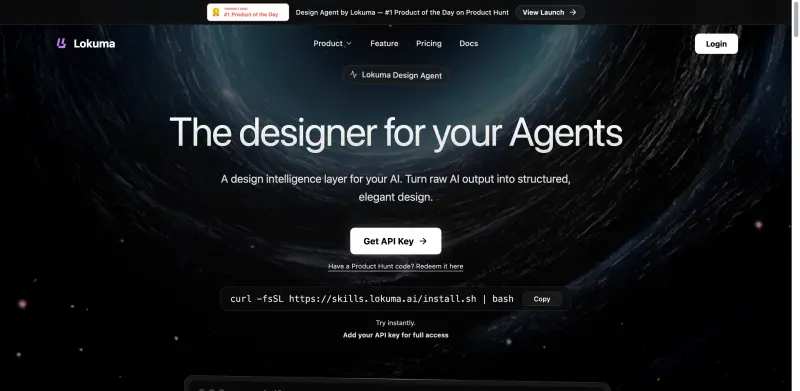
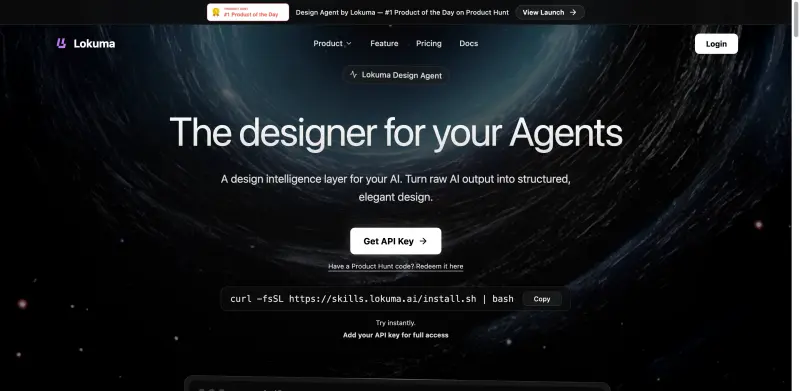
Lokuma Design Agent helps AI tools create polished, user-friendly websites and landing pages with balanced layouts and typography.
- Use Cases
- Not listed yet
- Pricing View
- Credit-based
- Platforms
- Not listed yet
- Ideal For
- Not listed yet
Overview
Transform Raw AI Output into Polished Designs with Lokuma Designer Agent
Lokuma Designer Agent solves the problem of raw AI-generated content lacking structure and visual appeal by providing a design intelligence layer that turns unrefined output into elegant, high-converting designs, saving time and enhancing user experience.
Details
Key Features
- Automated design refinement that enhances layout hierarchy, typography, and visual balance, resulting in professional-grade designs.
- Seamless integration with popular AI tools like Claude, Cursor, and OpenClaw, enabling effortless collaboration and streamlined workflows.
- Advanced design reasoning capabilities that understand goals and structure pages semantically, ensuring coherent and effective design outputs.
- Consistent visual language across all outputs, maintaining brand identity and professional appeal.
Best For
- Marketing teams seeking to create conversion-focused landing pages and promotional materials without extensive design expertise.
- Business owners and entrepreneurs looking to establish a professional online presence with minimal design effort.
- AI and machine learning developers aiming to enhance their tools' design capabilities and user experience.
Top Use Cases
- Creating polished landing pages for product launches or promotional campaigns that drive conversions and engagement.
- Designing business websites that reflect a professional brand image and provide a seamless user experience.
- Refining AI-generated content into structured, visually appealing layouts for marketing materials, blogs, or social media platforms.
Integrations
- Integrates seamlessly with Claude, Cursor, OpenClaw, and other AI tools, as well as the Lokuma Website Builder for comprehensive design solutions.
Pros
- Automated design refinement, seamless AI tool integration, advanced design reasoning, consistent visual language, and flexible billing model.
Limitations
- May require adjustment to API usage and billing for large-scale applications, and the quality of output depends on the input quality from the AI tools.
Read full editorial notes
Key Features
- Automated design refinement that enhances layout hierarchy, typography, and visual balance, resulting in professional-grade designs.
- Seamless integration with popular AI tools like Claude, Cursor, and OpenClaw, enabling effortless collaboration and streamlined workflows.
- Advanced design reasoning capabilities that understand goals and structure pages semantically, ensuring coherent and effective design outputs.
- Consistent visual language across all outputs, maintaining brand identity and professional appeal.
- Flexible usage-based billing model that adapts to individual needs, providing cost-effective design solutions.
Ideal For
- Marketing teams seeking to create conversion-focused landing pages and promotional materials without extensive design expertise.
- Business owners and entrepreneurs looking to establish a professional online presence with minimal design effort.
- AI and machine learning developers aiming to enhance their tools' design capabilities and user experience.
Top Use Cases
- Creating polished landing pages for product launches or promotional campaigns that drive conversions and engagement.
- Designing business websites that reflect a professional brand image and provide a seamless user experience.
- Refining AI-generated content into structured, visually appealing layouts for marketing materials, blogs, or social media platforms.
Known Alternatives
- Traditional website builders that require manual design input, lacking the automated design intelligence of Lokuma Designer Agent.
- Basic AI design tools that generate raw output without refinement, necessitating additional design work.
Integrations & Ecosystem
- Integrates seamlessly with Claude, Cursor, OpenClaw, and other AI tools, as well as the Lokuma Website Builder for comprehensive design solutions.
Pros & Cons
- Pros: Automated design refinement, seamless AI tool integration, advanced design reasoning, consistent visual language, and flexible billing model.
- Limitations: May require adjustment to API usage and billing for large-scale applications, and the quality of output depends on the input quality from the AI tools.
Keep researching Lokuma Designer Agent
Explore relevant products with a similar category, audience, or use case.
 Cowork: Claude Computer Use
Boost productivity by letting Claude handle tedious tasks, freeing you to focus on high-value work.
Cowork: Claude Computer Use
Boost productivity by letting Claude handle tedious tasks, freeing you to focus on high-value work.
 AI Product Photography
Create AI product photography for ecommerce: white main images, lifestyle scenes, model photos, infographics, and ad crops from one product upload.
AI Product Photography
Create AI product photography for ecommerce: white main images, lifestyle scenes, model photos, infographics, and ad crops from one product upload.
 VibeBot
Build Discord bots with AI
VibeBot
Build Discord bots with AI
FAQ about Lokuma Designer Agent
Concise answers based on the product's editorial information.
What is Lokuma Designer Agent and how does it work?
Lokuma Designer Agent is an AI designer that acts as a design intelligence layer for AI tools, refining raw output into polished designs through automated layout, typography, and visual balance adjustments.
Do I need an API key to use Lokuma Designer Agent?
Yes, an API key is required for full usage and billing, but you can explore basic capabilities and generate your key in seconds.
Launched
Ownership
If this is your product, contact us and we can help transfer it to you.
 ChatGPT,
 Claude,
 Perplexity,
 Gemini

