


- Use Cases
- Font Inspection Typography Prototyping
- Pricing
- Free
- Platforms
- Browser Chrome Extension
Overview
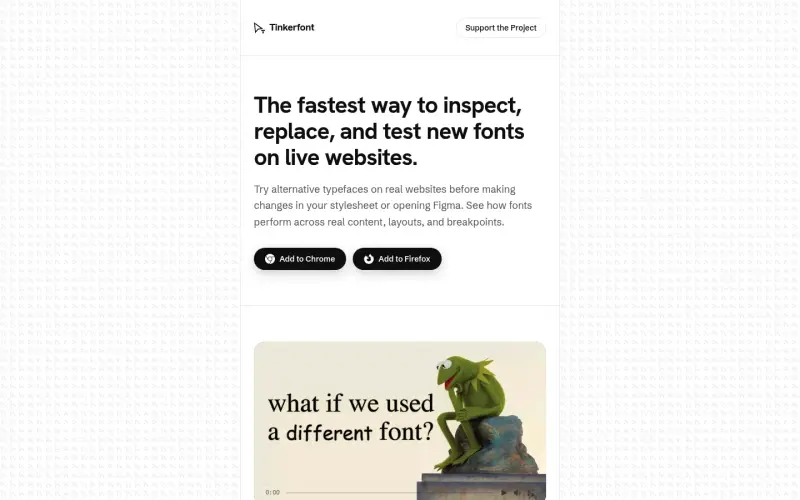
Mighil, also known as Tinkerfont, is a free Chrome extension and Firefox add-on that helps designers and developers inspect, replace, and test new fonts on live websites, streamlining the typography testing process.
By using Mighil, users can try alternative typefaces on real websites before making changes to their stylesheet or opening Figma, allowing them to see how fonts perform across real content, layouts, and breakpoints and make informed design decisions.
Details
Key Features
- Inspect font specs on any text by right-clicking, allowing users to copy font family, color, contrast, or experimental font file URL.
- Scan the live DOM to list all fonts in use, with counts, and target specific font families or use a wildcard to apply changes to all fonts.
- Try over 1,900 fonts instantly by searching Bunny Fonts or uploading custom fonts, and apply them to the page with one click.
- Limit font changes to a specific area of the page by picking elements to scope the swap, and save these areas per hostname.
Best For
- Designers who want to test and refine typography on live websites without affecting the underlying code.
- Developers who need to inspect and debug font issues on live websites and want a convenient and efficient way to do so.
- Tinkerers and hobbyists who enjoy experimenting with different fonts and layouts on their favorite websites.
Top Use Cases
- Testing and refining typography on live websites, including trying out different font families, sizes, and styles.
- Inspecting and debugging font issues on live websites, such as identifying font rendering problems or detecting missing fonts.
- Experimenting with custom fonts and layouts on live websites, and seeing how they affect the overall design and user experience.
Integrations
- Mighil is available as a Chrome extension and Firefox add-on, and supports Bunny Fonts and custom font uploads.
Pros
- easy to use
- streamlines typography testing process
- supports custom font uploads
- free to use.
Limitations
- may not work on pages with strict font policies or restricted access
- requires a browser extension or add-on to be installed.
Read full editorial notes
What is Mighil?
Mighil is a browser extension that enables users to detect fonts on any page, swap them with candidates from Bunny Fonts or their own uploads, and see the result on real content, layout, and breakpoints before touching CSS or design systems. It is designed to simplify the process of testing and refining typography on live websites.
What are the key features of Mighil?
Inspect font specs on any text by right-clicking, allowing users to copy font family, color, contrast, or experimental font file URL.
Scan the live DOM to list all fonts in use, with counts, and target specific font families or use a wildcard to apply changes to all fonts.
Try over 1,900 fonts instantly by searching Bunny Fonts or uploading custom fonts, and apply them to the page with one click.
Limit font changes to a specific area of the page by picking elements to scope the swap, and save these areas per hostname.
Save rules per site, so that shortlists are applied consistently across visits, and revisit reference sites with the same swaps in place.
Who is Mighil best for?
Designers who want to test and refine typography on live websites without affecting the underlying code.
Developers who need to inspect and debug font issues on live websites and want a convenient and efficient way to do so.
Tinkerers and hobbyists who enjoy experimenting with different fonts and layouts on their favorite websites.
What can you use Mighil for?
Testing and refining typography on live websites, including trying out different font families, sizes, and styles.
Inspecting and debugging font issues on live websites, such as identifying font rendering problems or detecting missing fonts.
Experimenting with custom fonts and layouts on live websites, and seeing how they affect the overall design and user experience.
How does Mighil compare to alternatives?
Mighil offers a more streamlined and efficient way to test and refine typography on live websites than manual methods or local tools, which can be time-consuming and labor-intensive.
Mighil provides a more convenient and user-friendly way to inspect and debug font issues on live websites compared to using browser developer tools, which can be complex and overwhelming for non-technical users.
What integrations and ecosystem support does Mighil offer?
Mighil is available as a Chrome extension and Firefox add-on, and supports Bunny Fonts and custom font uploads.
What are the pros and limitations of Mighil?
Pros: easy to use; streamlines typography testing process; supports custom font uploads; free to use.
Limitations: may not work on pages with strict font policies or restricted access; requires a browser extension or add-on to be installed.
Built with
Keep researching Mighil
Explore relevant products with a similar category, audience, or use case.



Resources
Useful Links
Launched
Ownership
If this is your product, contact us and we can help transfer it to you.
 ChatGPT,
 Claude,
 Perplexity,
 Gemini

