


- Use Cases
- Image Editing Logo Design
- Pricing
- Freemium
- Ideal For
- Content Creators Designers
Overview
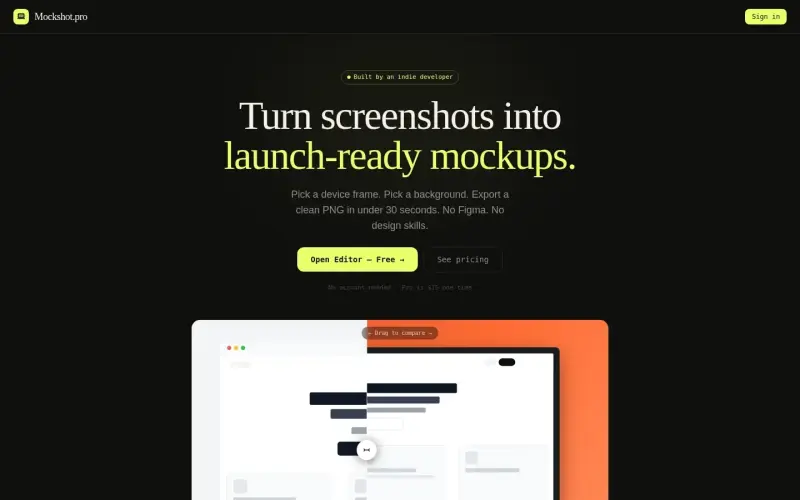
Mockshot.pro is a tool that helps indie founders, designers, and product teams turn their screenshots into launch-ready mockups by wrapping them in MacBook, iPhone, or Browser frames, with a background of their choice, and exporting a 4K PNG in under 30 seconds, all for a one-time fee of $15.
For those who need to create professional-looking mockups quickly, Mockshot.pro simplifies the process by eliminating the need for design skills or additional software like Figma, allowing users to focus on their core work while still presenting their products in a polished way.
Details
Key Features
- Pick from MacBook, iPhone, or Browser frames to wrap around your screenshots, each with detailed features like the MacBook's lid, camera, and hinge, or the iPhone's Dynamic Island and side buttons.
- Select from a range of backgrounds, including gradients, solid colors, and curated Pro wallpapers, to match your brand or presentation style.
- Export your mockup as a high-quality 4K PNG, 3840px wide, without any watermarks, ensuring your images look sharp and professional.
- Utilize launch presets like Product Hunt, Startup Dark, and Studio White to quickly adapt your mockups to popular presentation styles.
Best For
- Indie founders who need to present their products in a professional light without extensive design experience or budget.
- Designers looking for a quick and efficient way to create mockups for client presentations or design reviews.
- Product teams aiming to streamline their workflow and consistently produce high-quality marketing materials.
Top Use Cases
- Creating launch-ready mockups for new product announcements or updates.
- Preparing professional-looking screenshots for marketing materials, such as social media posts or advertisements.
- Enhancing design presentations with polished, contextually relevant mockups.
Integrations
- The available source material does not clearly specify integrations with other tools or platforms, focusing instead on its standalone functionality and ease of use.
Pros
- Easy to use
- fast mockup creation
- high-quality 4K PNG exports
- lifetime access with a one-time purchase.
Limitations
- The tool's functionality is primarily focused on adding frames and backgrounds to screenshots, which might not cover all advanced design needs.
Read full editorial notes
What is Mockshot.pro?
Mockshot.pro is a web-based tool that lets users turn their screenshots into professional-looking mockups by adding device frames and backgrounds. It integrates into a user's workflow by providing a quick, easy way to prepare screenshots for launch, presentations, or marketing materials.
What are the key features of Mockshot.pro?
Pick from MacBook, iPhone, or Browser frames to wrap around your screenshots, each with detailed features like the MacBook's lid, camera, and hinge, or the iPhone's Dynamic Island and side buttons.
Select from a range of backgrounds, including gradients, solid colors, and curated Pro wallpapers, to match your brand or presentation style.
Export your mockup as a high-quality 4K PNG, 3840px wide, without any watermarks, ensuring your images look sharp and professional.
Utilize launch presets like Product Hunt, Startup Dark, and Studio White to quickly adapt your mockups to popular presentation styles.
Enjoy lifetime access to all features, including future updates and new frames, with the one-time purchase of the Pro version.
Who is Mockshot.pro best for?
Indie founders who need to present their products in a professional light without extensive design experience or budget.
Designers looking for a quick and efficient way to create mockups for client presentations or design reviews.
Product teams aiming to streamline their workflow and consistently produce high-quality marketing materials.
What can you use Mockshot.pro for?
Creating launch-ready mockups for new product announcements or updates.
Preparing professional-looking screenshots for marketing materials, such as social media posts or advertisements.
Enhancing design presentations with polished, contextually relevant mockups.
How does Mockshot.pro compare to alternatives?
Unlike manual design processes or using complex design software, Mockshot.pro offers a straightforward, user-friendly interface that requires no design skills, making it more accessible to a broader range of users.
Compared to other mockup tools, Mockshot.pro stands out with its simplicity, speed, and the quality of its outputs, including 4K PNG exports without watermarks, all at a competitive one-time price.
What integrations and ecosystem support does Mockshot.pro offer?
The available source material does not clearly specify integrations with other tools or platforms, focusing instead on its standalone functionality and ease of use.
What are the pros and limitations of Mockshot.pro?
Pros: Easy to use; fast mockup creation; high-quality 4K PNG exports; lifetime access with a one-time purchase.
Limitations: The tool's functionality is primarily focused on adding frames and backgrounds to screenshots, which might not cover all advanced design needs.
Built with
Keep researching Mockshot.pro
Explore relevant products with a similar category, audience, or use case.



Launched
Ownership
If this is your product, contact us and we can help transfer it to you.
 ChatGPT,
 Claude,
 Perplexity,
 Gemini

