


Notion Developer Platform
Streamline your workflow by connecting any data source, building custom tools, and orchestrating agents in a single, hosted environment.
- Use Cases
- Not listed yet
- Pricing
- Free
- Ideal For
- Developers Engineering Teams
Overview
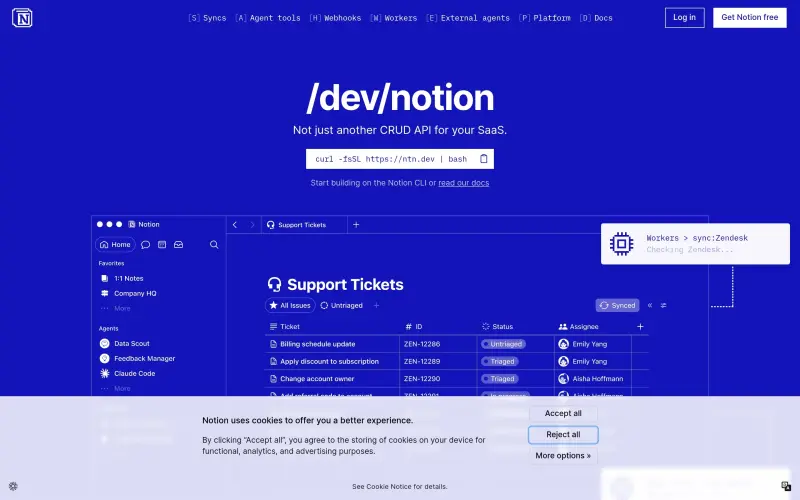
Build with Notion’s Developer Platform is a tool for developers to sync data, build custom agent tools, and orchestrate workflows without requiring infrastructure, all within a shared canvas for teams and agents.
It helps developers streamline their workflow by providing a flexible platform to integrate various data sources and build customized tools for their agents, making it easier to manage and automate tasks.
Details
Key Features
- Sync any data source into Notion, allowing for seamless integration of external data into your workflow.
- Build custom tools for Notion agents that can generate assets, query live data, and interact with external APIs, giving you more control over your workflow.
- Orchestrate workflows and trigger actions from anywhere, making it easier to automate tasks and manage your agents.
- Utilize a hosted runtime environment, eliminating the need for infrastructure setup and management.
Best For
- Developers looking to build custom tools and workflows for their teams and agents.
- Teams that need to integrate multiple data sources and automate tasks.
- Organizations looking to streamline their workflow and improve productivity.
Integrations
- It integrates with Notion, allowing for seamless data synchronization and workflow management.
- It also provides a range of APIs, including the Notion API, Notion MCP, and Notion Agent SDK, making it easier to build custom tools and workflows.
Pros
- Flexible and customizable, streamlined workflow management, and seamless integration with Notion.
Limitations
- May require development expertise to fully utilize the platform's features, and the learning curve can be steep for non-technical users.
Read full editorial notes
What are the key features of Build with Notion’s Developer Platform?
- Sync any data source into Notion, allowing for seamless integration of external data into your workflow.
- Build custom tools for Notion agents that can generate assets, query live data, and interact with external APIs, giving you more control over your workflow.
- Orchestrate workflows and trigger actions from anywhere, making it easier to automate tasks and manage your agents.
- Utilize a hosted runtime environment, eliminating the need for infrastructure setup and management.
- Integrate your favorite agents into Notion, allowing for a more unified and streamlined workflow.
Who is Build with Notion’s Developer Platform best for?
- Developers looking to build custom tools and workflows for their teams and agents.
- Teams that need to integrate multiple data sources and automate tasks.
- Organizations looking to streamline their workflow and improve productivity.
What are the top use cases for Build with Notion’s Developer Platform?
- Automating data entry tasks by syncing external data sources into Notion.
- Building custom tools for agents to generate reports, query data, and interact with external APIs.
- Orchestrating workflows to automate tasks and manage agents, improving overall productivity.
How does Build with Notion’s Developer Platform compare to alternatives?
- Unlike other platforms, Build with Notion’s Developer Platform provides a flexible and customizable solution for building custom tools and workflows, all within a shared canvas.
- It offers a more streamlined and integrated approach to workflow management, making it easier to automate tasks and manage agents.
What integrations and ecosystem support does Build with Notion’s Developer Platform offer?
- It integrates with Notion, allowing for seamless data synchronization and workflow management.
- It also provides a range of APIs, including the Notion API, Notion MCP, and Notion Agent SDK, making it easier to build custom tools and workflows.
What are the pros and limitations of Build with Notion’s Developer Platform?
- Pros: Flexible and customizable, streamlined workflow management, and seamless integration with Notion.
- Limitations: May require development expertise to fully utilize the platform's features, and the learning curve can be steep for non-technical users.
Keep researching Notion Developer Platform
Explore relevant products with a similar category, audience, or use case.



Resources
FAQ about Notion Developer Platform
Concise answers based on the product's editorial information.
What is the purpose of Build with Notion’s Developer Platform?
Build with Notion’s Developer Platform is designed to help developers build custom tools and workflows, sync data, and orchestrate agents, all within a shared canvas.
How does Build with Notion’s Developer Platform integrate with Notion?
It integrates with Notion through various APIs, including the Notion API, Notion MCP, and Notion Agent SDK, allowing for seamless data synchronization and workflow management.
Launched
Ownership
If this is your product, contact us and we can help transfer it to you.
 ChatGPT,
 Claude,
 Perplexity,
 Gemini

