


Lockify
Encrypt files on your device
391 website clicks
Launch week 24, 2026
- Use Cases
- Privacy
- Pricing
- Subscription
- Ideal For
- Solopreneurs General Productivity
Overview
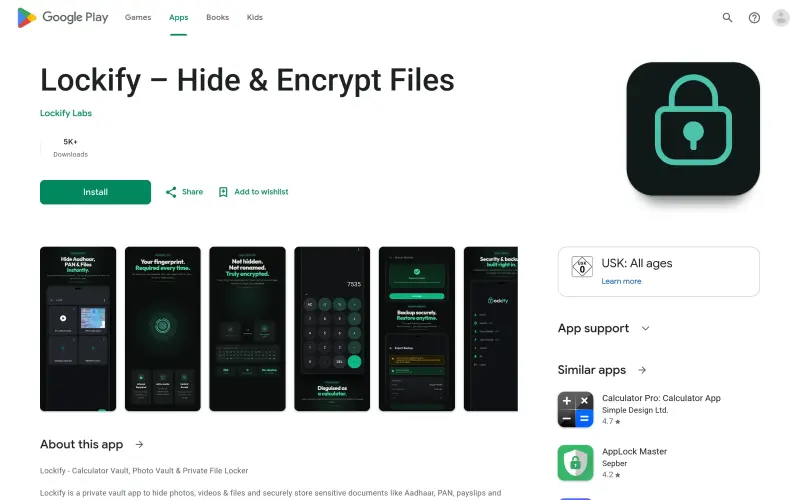
Lockify – Hide & Encrypt Files is a privacy-focused vault designed for anyone who needs to keep sensitive photos, videos, and documents truly private on their mobile device. Unlike apps that simply hide files from your gallery, Lockify uses actual on-device encryption to ensure your data is unreadable without your specific key. It is a reliable choice for users who prioritize offline security and a clean, distraction-free interface.
The app functions as a secure digital locker where you can organize everything from personal memories to critical identification papers into protected folders. By operating entirely offline and removing the need for cloud syncing or account creation, it gives you total ownership over your data without the risk of third-party tracking or intrusive advertisements.
Details
What is Lockify – Hide & Encrypt Files?
Lockify is an offline-first security tool that encrypts and stores your most sensitive files inside a protected digital vault. It integrates into your daily routine by providing a safe space for everything from private media to essential financial and identity documents.
What are the key features of Lockify – Hide & Encrypt Files?
Real on-device encryption that secures files rather than just renaming or hiding them from view.
A secret calculator mode that disguises the app icon and interface as a functional calculator for added stealth.
Flexible authentication options allowing you to unlock your vault using a dedicated PIN or your device's biometrics.
Encrypted backup and restore functionality to help you move or recover your data without compromising its security.
An auto-lock protection system that secures your files immediately when the screen turns off or the app is closed.
Who is Lockify – Hide & Encrypt Files best for?
Privacy-conscious individuals who want to store sensitive documents like Aadhaar, PAN cards, or payslips on their phones.
Users who are tired of "free" vault apps that interrupt the experience with constant advertisements and tracking SDKs.
People who prefer local, offline storage over cloud-based solutions to ensure their data never leaves their physical device.
What can you use Lockify – Hide & Encrypt Files for?
Securing personal photo and video galleries so they are invisible to anyone else using your phone.
Storing digital copies of sensitive identification and employment records for quick, private access.
Organizing confidential PDF documents and work files into a structured, encrypted folder system.
How does Lockify – Hide & Encrypt Files compare to alternatives?
Compared to standard gallery lockers, Lockify provides actual encryption, making files unreadable even if someone manages to browse the device's file system.
Unlike many popular vault apps that monetize through data collection, Lockify is built for offline use with no ads, no tracking, and no account requirements.
What integrations and ecosystem support does Lockify – Hide & Encrypt Files offer?
The available source material does not clearly specify integrations with third-party software or cloud ecosystems, as the app is designed to be offline-first.
What are the pros and limitations of Lockify – Hide & Encrypt Files?
Pros: Zero advertisements or tracking; fully offline operation for maximum privacy; supports both PIN and biometric unlocking.
Limitations: Lack of cloud sync means users are responsible for managing their own encrypted backups; premium features are noted as upcoming but not yet fully detailed.
Keep researching Lockify
Explore relevant products with a similar category, audience, or use case.



Launched
Ownership
If this is your product, contact us and we can help transfer it to you.
 ChatGPT,
 Claude,
 Perplexity,
 Gemini

