


Maccess
Control Mac from iPhone with touchpad, keyboard, mirroring, files, AI
- Use Cases
- Remote Access AI-Assisted Tasks
- Pricing
- Subscription
- Ideal For
- Developers Remote Teams
Overview
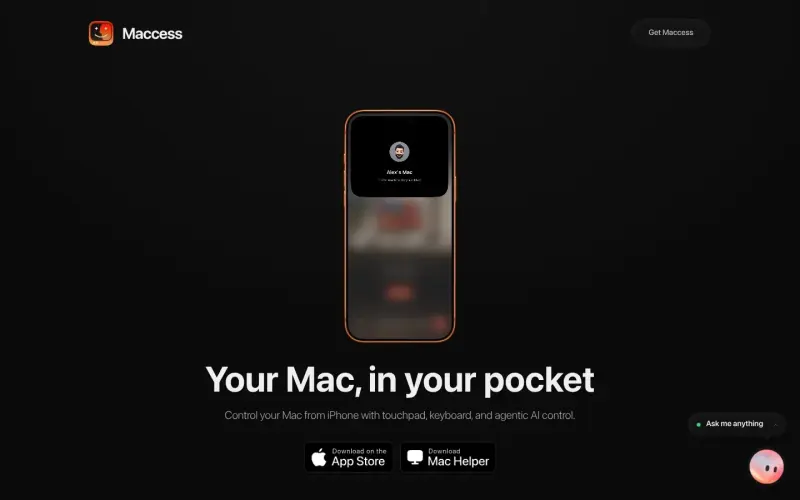
Maccess transforms your iPhone into a powerful remote control for your Mac, putting your entire desktop experience right into your pocket. It's designed for Mac users who need to manage files, launch applications, mirror their screen, or utilize AI assistance directly from their phone, whether at home or remotely. This tool helps you stay productive and connected to your Mac without being physically present.
Instead of being tethered to your desk, Maccess lets you navigate your Mac's interface with a precision touchpad, type with a full keyboard, mirror your screen live, transfer files bi-directionally, and even interact with an intelligent AI assistant named Mackie. This comprehensive control simplifies remote management and extends your Mac's capabilities to your mobile device.
Details
Key Features
- **Precision Touchpad and Keyboard:** Navigate your Mac's interface with multi-touch gestures and a full-featured keyboard directly from your iPhone.
- **Live Screen Mirroring:** View and interact with your Mac's desktop in real-time on your iPhone, supporting both portrait and landscape orientations.
- **Bi-directional File Transfer:** Easily send photos and documents from your iPhone to your Mac, or browse your Mac's folders and pull files back to your phone.
- **Mackie AI Assistant:** Utilize Mackie AI for voice or text commands to perform tasks on your Mac, with options to choose from various AI models.
Best For
- Mac users who frequently work away from their desk but require full access to their computer.
- Individuals managing multiple Macs remotely, whether in different rooms or entirely different locations.
- Users looking to integrate AI assistance directly into their Mac workflows through their iPhone.
Top Use Cases
- Controlling media playback or presentations on your Mac from anywhere within your home or office network.
- Quickly accessing and transferring specific files between your iPhone and Mac without needing physical proximity.
- Initiating complex workflows, running Terminal commands, or automating tasks on your Mac using Mackie AI or pre-saved routines while on the go.
Integrations
- Maccess integrates with your Mac through the free Maccess Helper application, which you install on your desktop.
- For its AI capabilities, Maccess supports running Mackie on Maccess Cloud, Claude Code, Codex, or even a local AI model on your own Mac.
Pros
- Offers comprehensive Mac control directly from an iPhone
- Provides flexible connectivity via local Wi-Fi and remote Online Access
- Features an integrated AI assistant (Mackie) with multiple model options and voice capabilities.
Limitations
- Requires your Mac to be awake, powered on, connected to the network, and continuously running the Maccess Helper application for functionality.
Read full editorial notes
What is Maccess?
Maccess is an iPhone application that allows you to fully control your Mac computer from your mobile device. It integrates directly into your workflow by making your Mac accessible from anywhere, providing a portable interface for all your desktop tasks.
What are the key features of Maccess?
**Precision Touchpad and Keyboard:** Navigate your Mac's interface with multi-touch gestures and a full-featured keyboard directly from your iPhone.
**Live Screen Mirroring:** View and interact with your Mac's desktop in real-time on your iPhone, supporting both portrait and landscape orientations.
**Bi-directional File Transfer:** Easily send photos and documents from your iPhone to your Mac, or browse your Mac's folders and pull files back to your phone.
**Mackie AI Assistant:** Utilize Mackie AI for voice or text commands to perform tasks on your Mac, with options to choose from various AI models.
**Remote Power Management & Automations:** Lock, sleep, restart, or shut down your Mac remotely, and execute custom Terminal commands or pre-saved automation routines with a single tap.
Who is Maccess best for?
Mac users who frequently work away from their desk but require full access to their computer.
Individuals managing multiple Macs remotely, whether in different rooms or entirely different locations.
Users looking to integrate AI assistance directly into their Mac workflows through their iPhone.
What can you use Maccess for?
Controlling media playback or presentations on your Mac from anywhere within your home or office network.
Quickly accessing and transferring specific files between your iPhone and Mac without needing physical proximity.
Initiating complex workflows, running Terminal commands, or automating tasks on your Mac using Mackie AI or pre-saved routines while on the go.
How does Maccess compare to alternatives?
Unlike generic screen-sharing applications, Maccess provides a dedicated mobile-first interface optimized for iPhones, featuring a precision touchpad, custom gestures, and integrated AI control specifically tailored for Mac interaction.
Compared to manual remote management solutions, Maccess streamlines setup with simple QR code pairing and offers agentic AI control (Mackie AI) to execute sophisticated tasks directly on your Mac, reducing manual effort.
What integrations and ecosystem support does Maccess offer?
Maccess integrates with your Mac through the free Maccess Helper application, which you install on your desktop.
For its AI capabilities, Maccess supports running Mackie on Maccess Cloud, Claude Code, Codex, or even a local AI model on your own Mac.
What are the pros and limitations of Maccess?
Pros: Offers comprehensive Mac control directly from an iPhone; Provides flexible connectivity via local Wi-Fi and remote Online Access; Features an integrated AI assistant (Mackie) with multiple model options and voice capabilities.
Limitations: Requires your Mac to be awake, powered on, connected to the network, and continuously running the Maccess Helper application for functionality.
Keep researching Maccess
Explore relevant products with a similar category, audience, or use case.



Resources
Social Profiles
Useful Links
Launched
Ownership
If this is your product, contact us and we can help transfer it to you.
 ChatGPT,
 Claude,
 Perplexity,
 Gemini

