


Screenshot Otter
Automate app store listing creation with localized screenshots and captions in minutes, not hours.
- Use Cases
- Not listed yet
- Pricing View
- Subscription
- Platforms
- Not listed yet
- Ideal For
- Designers Developers
Overview
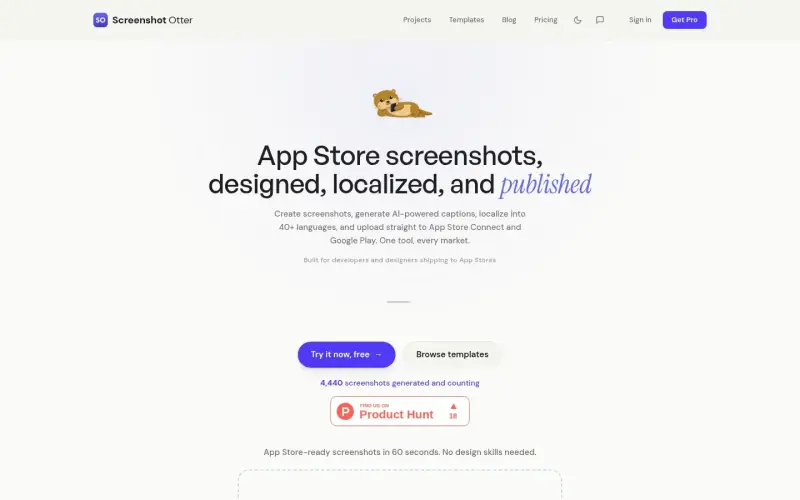
Screenshot Otter is a free app store screenshot generator for indie developers and small studios, helping them create professional store listings without hiring a designer.
Screenshot Otter streamlines the process of generating and publishing app store screenshots, making it easier for developers to showcase their apps in a professional light.
Details
Key Features
- Automated caption generation using AI, saving time and effort in creating engaging text for each screenshot.
- 40+ premium templates to choose from, allowing for a wide range of design options to fit different app styles.
- Auto-localization into 40+ languages, enabling developers to reach a global audience with minimal effort.
- Direct upload to App Store Connect and Google Play, streamlining the publishing process and reducing the risk of errors.
Best For
- Indie developers who want to create professional-looking app store listings without breaking the bank.
- Small studios with limited design resources, looking for a simple and efficient way to generate high-quality screenshots.
- Marketing teams responsible for publishing apps on the App Store and Google Play, seeking to simplify their workflow and improve results.
Integrations
- Direct integration with App Store Connect and Google Play, allowing for seamless upload and publishing of screenshots.
Pros
- Easy to use, saves time and effort, and offers a wide range of customizable templates.
Limitations
- May not be suitable for extremely complex or custom design requirements, and the free version has limited features.
Read full editorial notes
What are the key features of Screenshot Otter?
- Automated caption generation using AI, saving time and effort in creating engaging text for each screenshot.
- 40+ premium templates to choose from, allowing for a wide range of design options to fit different app styles.
- Auto-localization into 40+ languages, enabling developers to reach a global audience with minimal effort.
- Direct upload to App Store Connect and Google Play, streamlining the publishing process and reducing the risk of errors.
- Customizable templates and layouts, giving developers the flexibility to create unique and compelling screenshots.
Who is Screenshot Otter best for?
- Indie developers who want to create professional-looking app store listings without breaking the bank.
- Small studios with limited design resources, looking for a simple and efficient way to generate high-quality screenshots.
- Marketing teams responsible for publishing apps on the App Store and Google Play, seeking to simplify their workflow and improve results.
What are the top use cases for Screenshot Otter?
- Creating app store screenshots for new app releases or updates, ensuring a professional and engaging visual presence.
- Generating screenshots for marketing campaigns, such as social media promotions or email newsletters.
- Producing localized screenshots for international app releases, helping developers reach a broader audience.
How does Screenshot Otter compare to alternatives?
- Unlike manual design tools, Screenshot Otter offers automated caption generation and auto-localization, saving time and effort.
- Compared to hiring a designer, Screenshot Otter provides a cost-effective solution for creating professional-looking app store screenshots.
What integrations and ecosystem support does Screenshot Otter offer?
- Direct integration with App Store Connect and Google Play, allowing for seamless upload and publishing of screenshots.
What are the pros and limitations of Screenshot Otter?
- Pros: Easy to use, saves time and effort, and offers a wide range of customizable templates.
- Limitations: May not be suitable for extremely complex or custom design requirements, and the free version has limited features.
FAQ about Screenshot Otter
Concise answers based on the product's editorial information.
What file formats does Screenshot Otter support for uploading screenshots?
Screenshot Otter supports PNG and JPG file formats for uploading screenshots.
Can I use Screenshot Otter for free?
Yes, Screenshot Otter offers a free version with limited features, as well as a Pro version with additional features and capabilities.
Launched
Ownership
If this is your product, contact us and we can help transfer it to you.
 ChatGPT,
 Claude,
 Perplexity,
 Gemini
