


RetroMac
Give your Mac a retro look with 30+ live CRT and VHS themes
- Use Cases
- Desktop Enhancement
- Pricing
- Free
- Platforms
- MacOS
- Ideal For
- Content Creators Creatives
Overview
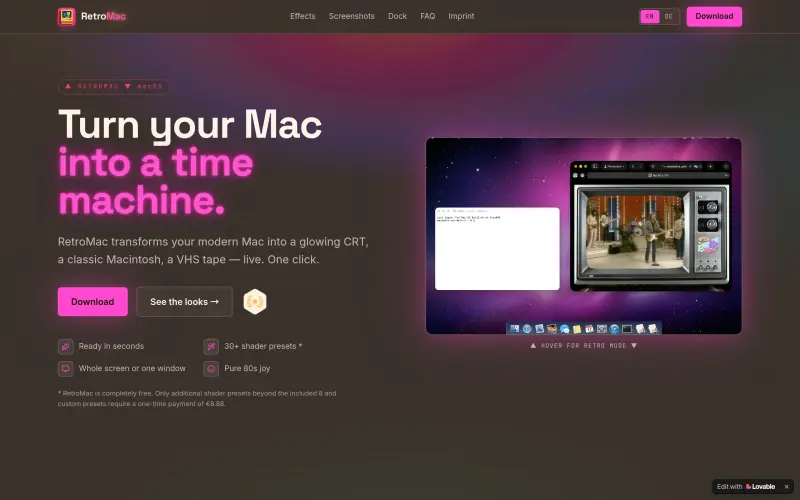
RetroMac is a macOS menu bar app with 30+ live CRT, VHS, and classic computer themes
RetroMac is completely free, with optional Pro upgrade for additional features
Details
Key Features
- 30+ live CRT, VHS, and classic computer themes
- Automatic theme matching for different apps
- Customizable intensity, colors, and icons
- Support for multiple displays and themed screenshots
Best For
- Users who want to give their Mac a retro look
- Those who want to customize their Mac's appearance
- Fans of classic computers and retro technology
Pros
- Provides a range of retro themes, including CRT, VHS, and classic computer looks
- Allows customization of intensity, colors, and icons
- Works with multiple displays and stays fast with eco modes
Limitations
- Only available for macOS 14+
Read full editorial notes
What is RetroMac?
RetroMac applies retro-style themes to your Mac. It offers various customization options, including 30+ shader presets.
What are the key features of RetroMac?
- 30+ live CRT, VHS, and classic computer themes
- Automatic theme matching for different apps
- Customizable intensity, colors, and icons
- Support for multiple displays and themed screenshots
Who is RetroMac best for?
- Users who want to give their Mac a retro look
- Those who want to customize their Mac's appearance
- Fans of classic computers and retro technology
What are the pros and limitations of RetroMac?
- Pros: Provides a range of retro themes, including CRT, VHS, and classic computer looks; Allows customization of intensity, colors, and icons; Works with multiple displays and stays fast with eco modes
- Limitations: Only available for macOS 14+
Built with
Keep researching RetroMac
Explore relevant products with a similar category, audience, or use case.



Resources
Useful Links
FAQ about RetroMac
Concise answers based on the product's editorial information.
What is RetroMac?
RetroMac is a macOS menu bar app that applies retro-style themes to your Mac
Does RetroMac change my apps or files?
No, RetroMac only changes the appearance of your Mac and does not affect your apps or files
Launched
Ownership
If this is your product, contact us and we can help transfer it to you.
 ChatGPT,
 Claude,
 Perplexity,
 Gemini

